VaultMark: archiv da documents
Archiv da documents criptà. Agiuntai ina filigrana als documents e allontanai las metadatas avant da als cundivider.
Gratuit. Sen publicitad. Sen abunament.

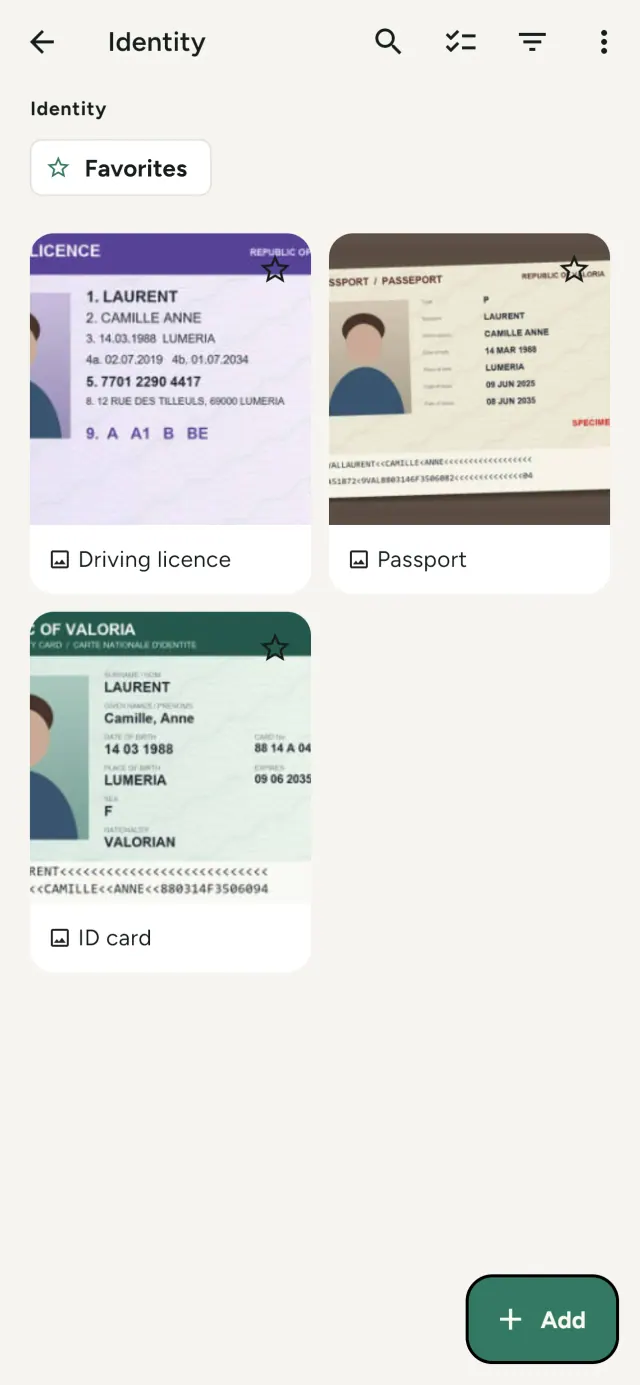
Protegia Vossa carta d'identitad, contracts, cedulas da salari e documents medicinals avant da als trametter, e serriai els en in archiv criptà sin Voss telefon.
VaultMark è in archiv privat per documents. Tut resta sin Voss apparat: nagin conto, nagina cloud, naginas reclamas, nagin pedinament, e l'utilisaziun quotidiana na dovra nagina rait.
Tge che VaultMark fa
Scannar, agiuntar ina filigrana e proteger documents avant da als trametter
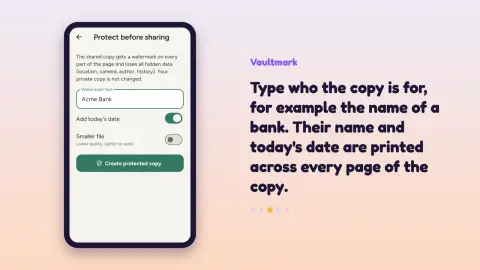
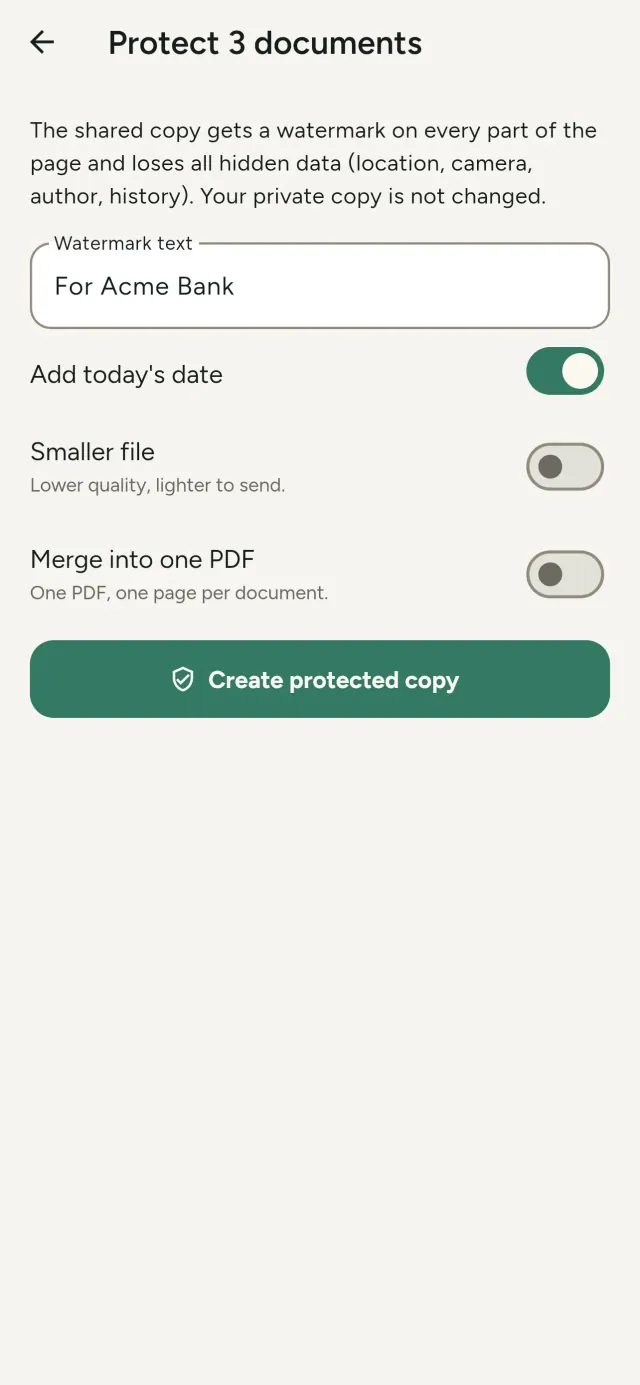
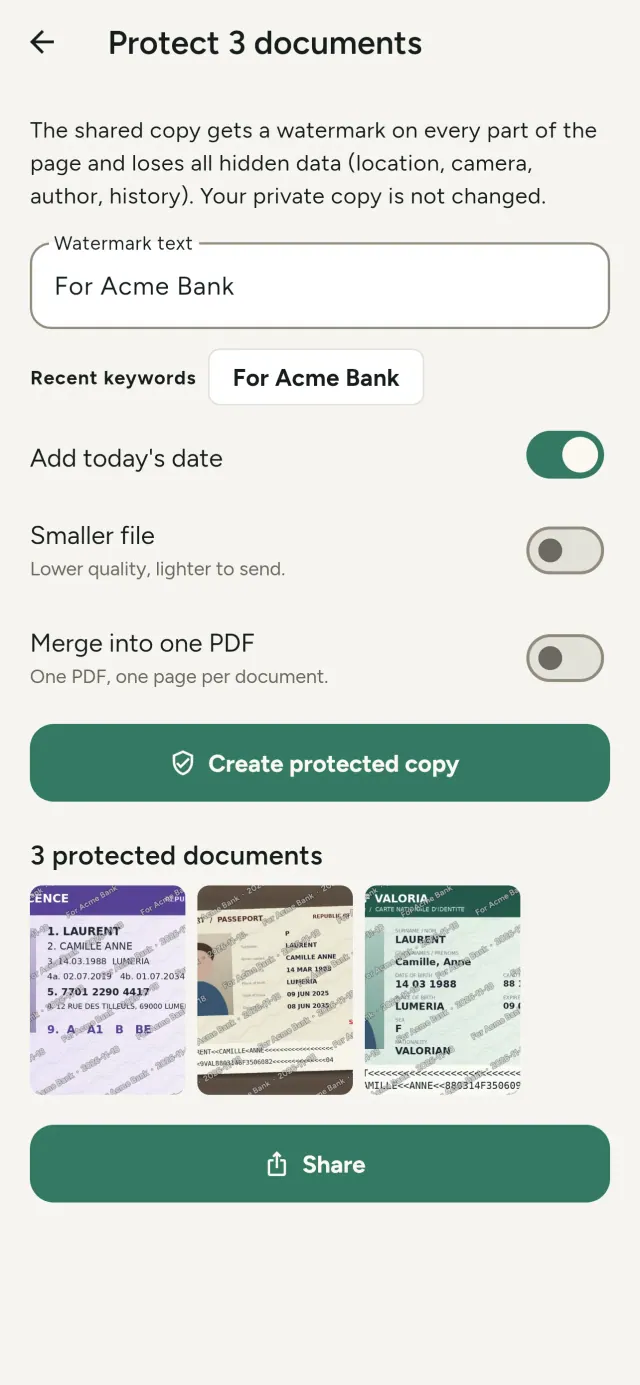
Avais in palpiri sin la maisa? Cumenzai a l'udir cun Vossa camera, u elegi in PDF u in maletg gia existent sin Voss telefon. VaultMark metta ina filigrana sur l'entira pagina cun il text che Vus elegiais (per exempel "Per la Banca d'exempel, dumonda da credit") e la data dad oz, e stizzà lura mintga dat zuppà: lieu, model da l'apparat, autur, cronologia da las modificaziuns. Utilisai quai per ina copia da la carta d'identitad, ina cumprova da domicil u ina cedula da salari, uschia che la copia na po betg vegnir reutilisada per insatge auter. Quai è la via la pli svelta per allontanar metadatas avant da trametter in datoteca.
La datoteca cundividida vegn reconstruida dals pixels: la filigrana na po betg vegnir stgarpada giu e las metadatas èn svanidas. Tramettis plirs documents? Fusiunai els en in sulet PDF e, sche giavischà, serriai el cun in pled-clav AES-256. Vossa copia privata na vegn mai midada.
Proceduras e ina rait segira per mintga document
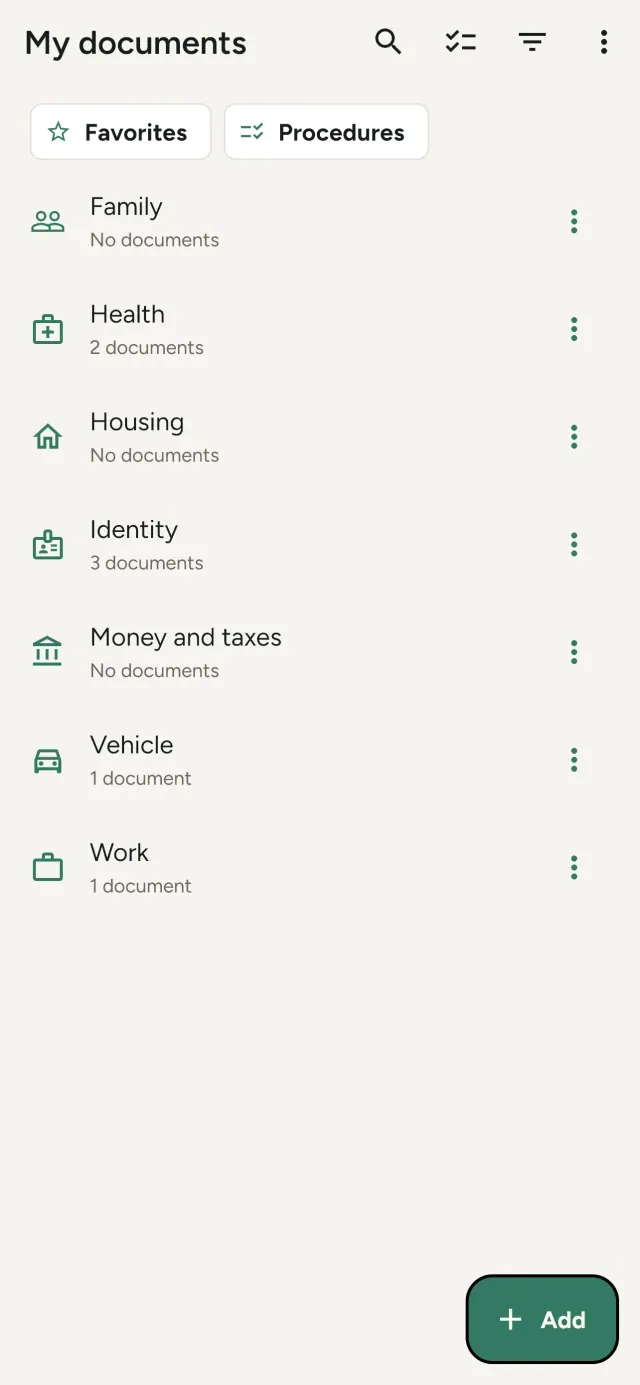
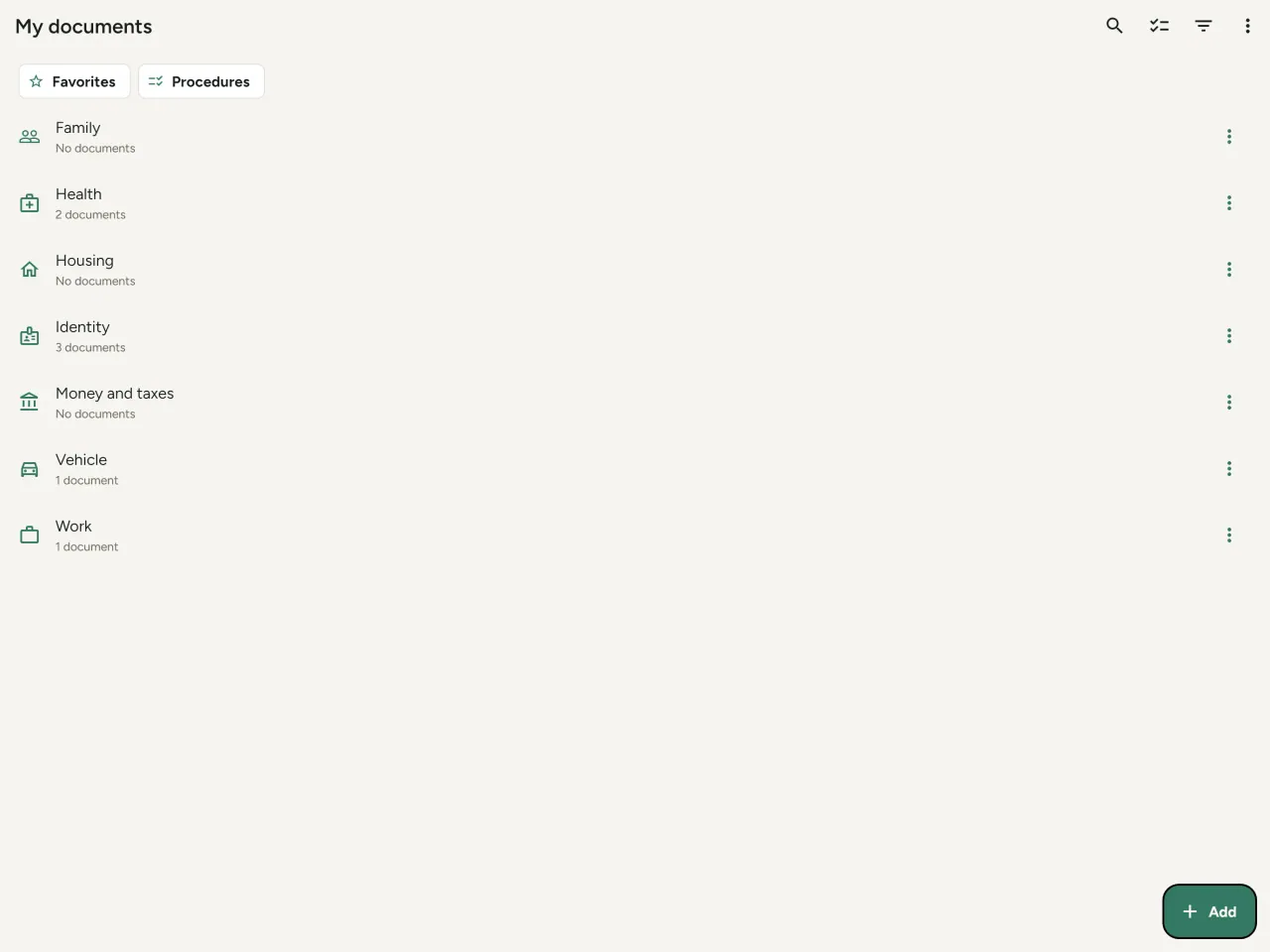
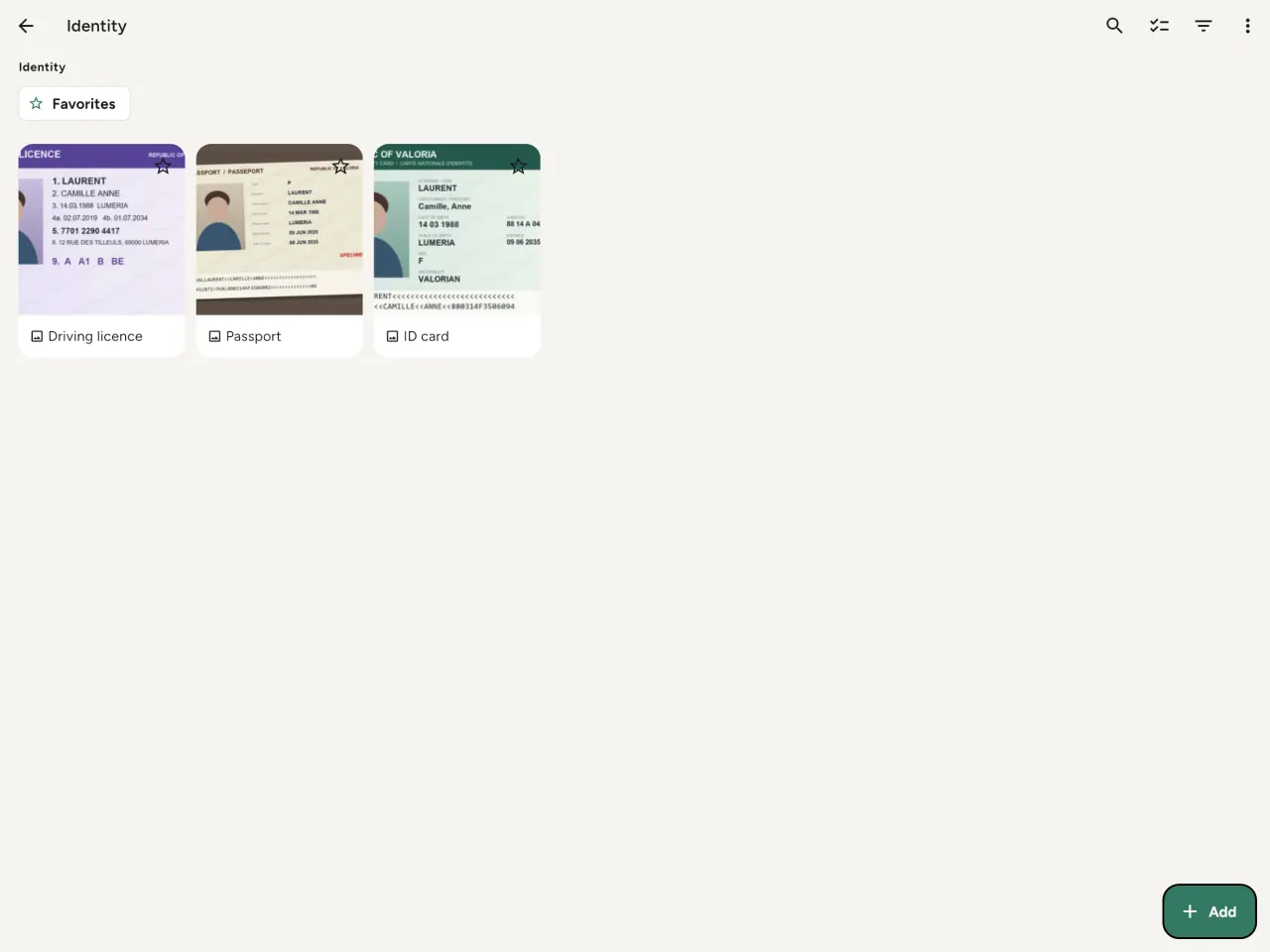
Preparai activitads frequentas cun glistas da controlla da proceduras integradas (abitaziun, lavur, banca, viadi), agiuntai documents da Voss archiv e protegiai e cundividai l'entir set en ina giada. Organisai tut en ordinaturs gia preparads (identitad, abitaziun, sanadad, daners e taglias, lavur, vehichel, famiglia) u en Vossa atgna structura, cun tags, preferits e tschertga immediata.
Cundivider da autras apps
Avais retschavì in PDF u in maletg? Utilisai Share u Open with, elegiai VaultMark e protegiai el immediatamain, senza algiuntar el a l'archiv.
Suttascriver e tschertgar Voss documents
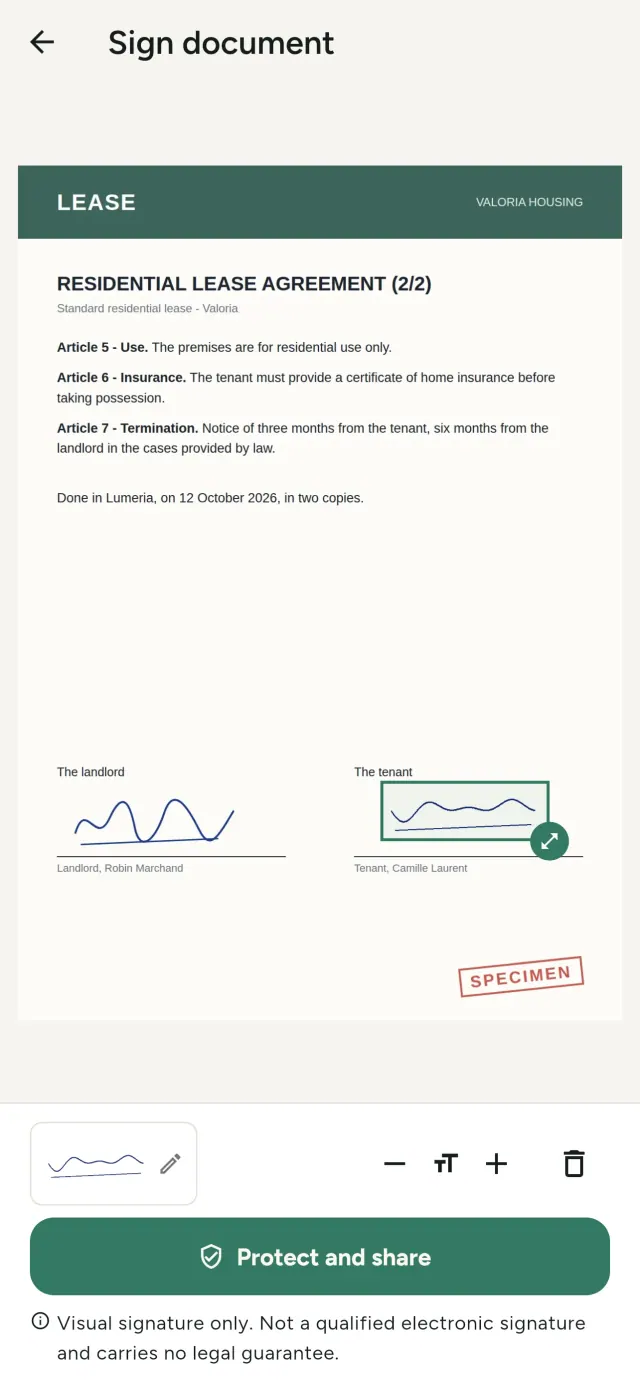
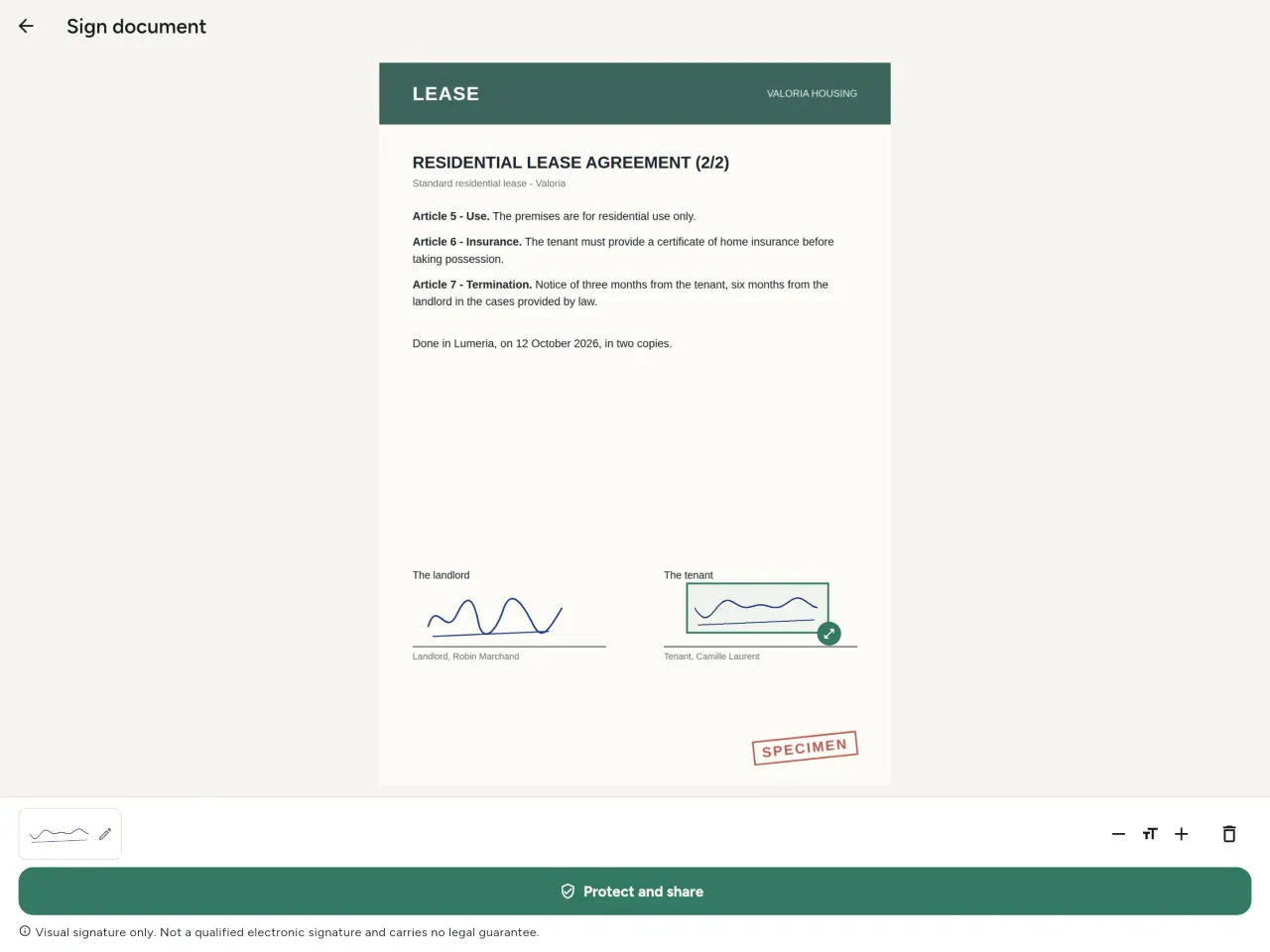
Dissegnai Vossa suttascripziun u importai in maletg, e plazzai lura quella sin ina pagina d'in PDF u sin in maletg scannà d'in document, directamain sin Voss telefon. Vossa suttascripziun memorisada vegn tegnida criptada en l'archiv, e la copia che Vus cundividais è plana, munida d'ina filigrana e libra da metadatas (suttascripziun visuala mo, senza valur legala). Duvrais tschertgar in scan? Lancai OCR a dumonda per crear in PDF tschertgabel, elavurà sin Voss telefon e mai tramess en in auter lieu. L'app è disponibla en 75 linguas.
Segir gia tenor il concept
Impurtant da savair: in code emblidà na po betg vegnir recuperà, quai è intenziunà. Tegnai in original da mintga document en in auter lieu. Ina filigrana dissuada l'abus, ma na po betg impedir insatge a ina persuna che ha gia il datoteca.
Datotecas PDF e maletgs vegnan sustegnids. Las paginas d'in PDF daventan maletgs cun filigrana, uschia che il text na po betg pli vegnir selecziunà.
- Criptaziun AES-256-GCM, la clav vegn tegnida en la memoria segira da Voss telefon
- Debloccar cun l'impronta digitala u la fatscha, cun in code da 6 cifras sco alternativa
- L'archiv sa serra automaticamain cura che Vus bandunais l'app, uschia che nagut na resta avert
- Datoteca da copia da segirezza criptada (.vmbk), protegida cun ses agen pled-clav
- Transferiment criptà da telefon a telefon, da la fin a la fin, cun QR code cura che Vus midais l'apparat; l'utilisaziun quotidiana resta offline en in archiv segir
Guidas da VaultMark
Per tgi ch'ella è
- Mintgin che sto trametter ina copia d'ina carta d'identitad, d'in attest d'adressa u d'ina quittanza da salari (dumonda d'abitaziun, banca, patrun, administraziun).
- Persunas stuftas da las perditas da datas che vulan reprender il controllo da lur datas persunalas e las proteger meglier cura ch'ellas n'han nagina autra schelta che da las cundivider.
- Persunas che vulan tegnair contracts, palpiers medicinals ed auters documents impurtants criptads sin lur telefon.
- Persunas che retschaivan in PDF u ina fotografia e vulan la proteger immediatamain, senza l'agiuntar al chaussaforz.
Pertge scegliar VaultMark
- Documents persunals èn quai che laders d'identitad drovan per avrir in credit, suttascriver in contract u fittar in'abitaziun en tes num. Ina copia d'ina carta d'identitad u d'ina quittanza da salari tramessa senza protecziun po vegnir reutilisada per insatge auter, memia pli tard che ti l'has tramessa. VaultMark metta in filigran sur tuta la pagina cun il destinatari e la data (per exempel "Per Example Bank, dumonda d'abitaziun, 2026-10-05"), uschia che ina copia svidada è senza nitz per in auter intent e pussibla da suandar fin tar l'intent per il qual ella è vegnida cundividida.
- Il fascicul cundividì vegn construì danovamain our dals pixels: il filigran na po betg vegnir allontanà e las metadatas zuppadas (lieu, autur, istorgia d'elavuraziun) svaneschan. Tia copia privata na vegn mai midada.
- Criptaziun AES-256-GCM, cun la clav memorisada en la memoria segira dal telefon. Nagin conto, nagina nivla, nagina surveglianza.
Tge che l'app na fa betg anc
- Anc nagina memoria en la nivla ni sincronisaziun tranter apparats: il chaussaforz exista mo sin il telefon.
- In filigran fa ina copia difficila da reutilisar e lev da suandar. El na impedescha betg che insatgi tegna ina copia ch'ti has decidì da trametter.
Il princip da Pixeon. Las apps da Pixeon èn l'emprim localas: nagin conto, nagina surveglianza, e tias datas restan sin tes telefon. Sch'ina app sa colliescha insacura cun la rait, èsi be cura che ti As decidas d'activar ina funcziun che ti drovas, e la decleraziun da protecziun da datas vegn actualisada avant la publicaziun.
Guarda VaultMark en acziun.
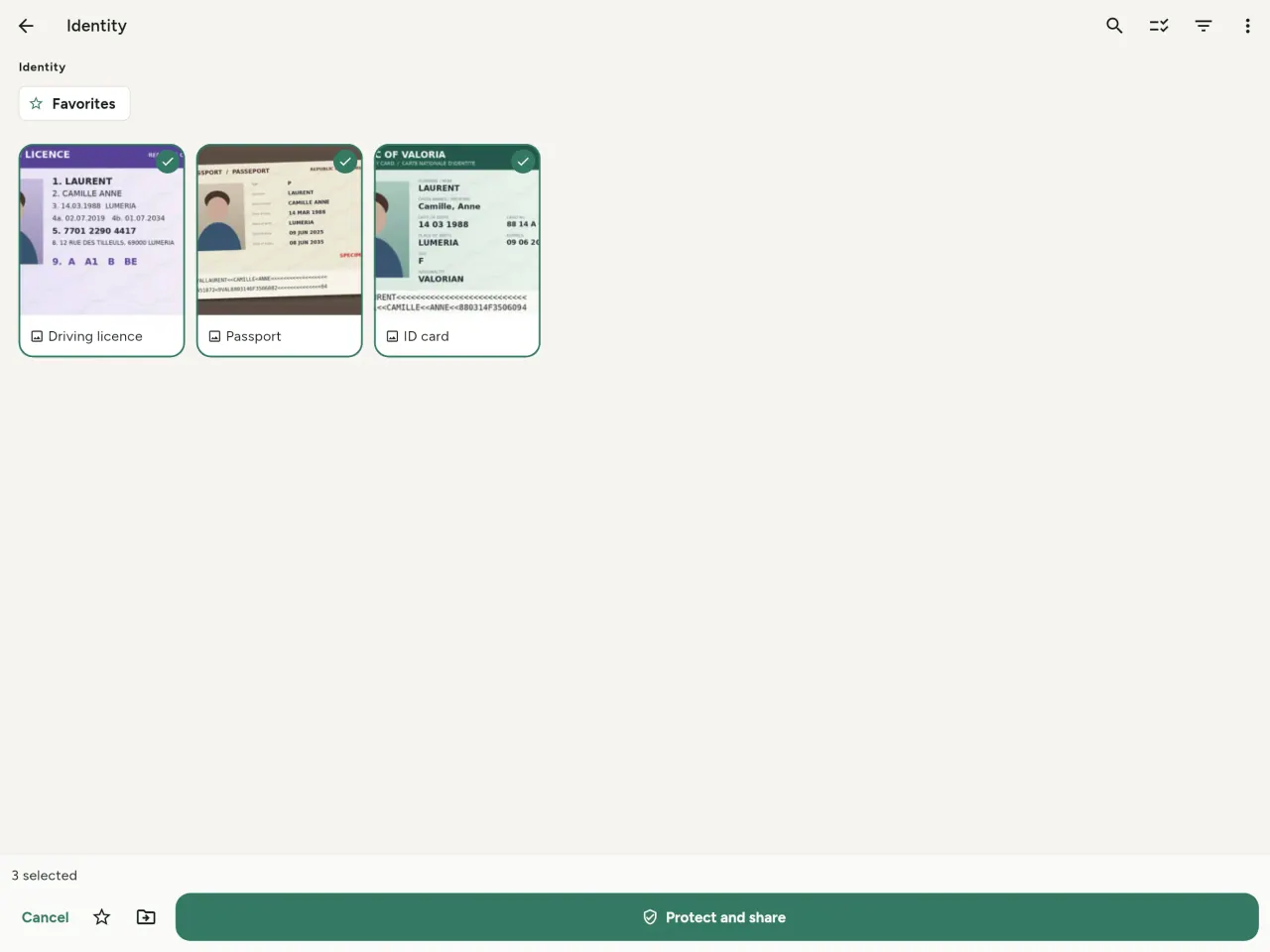
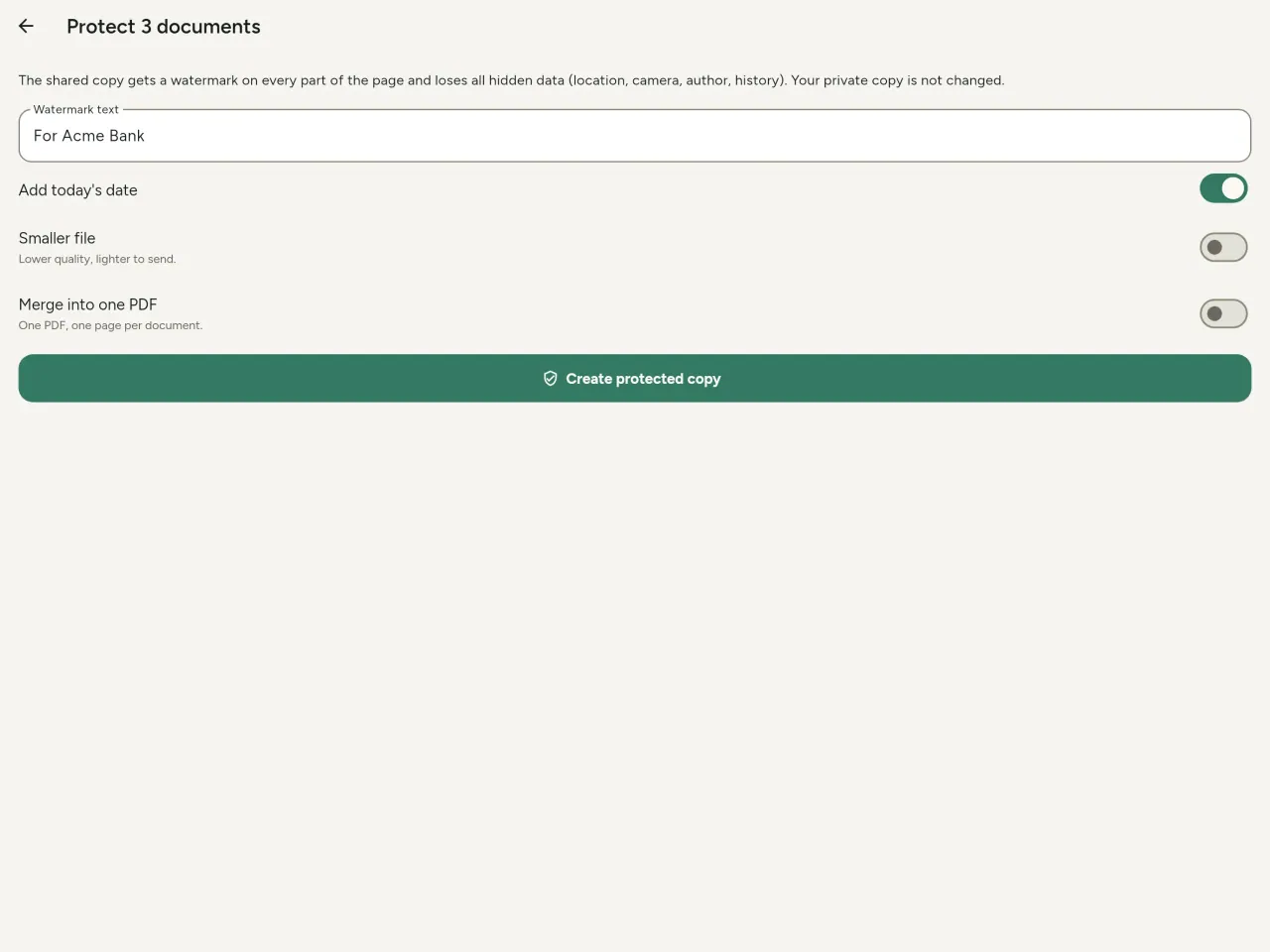
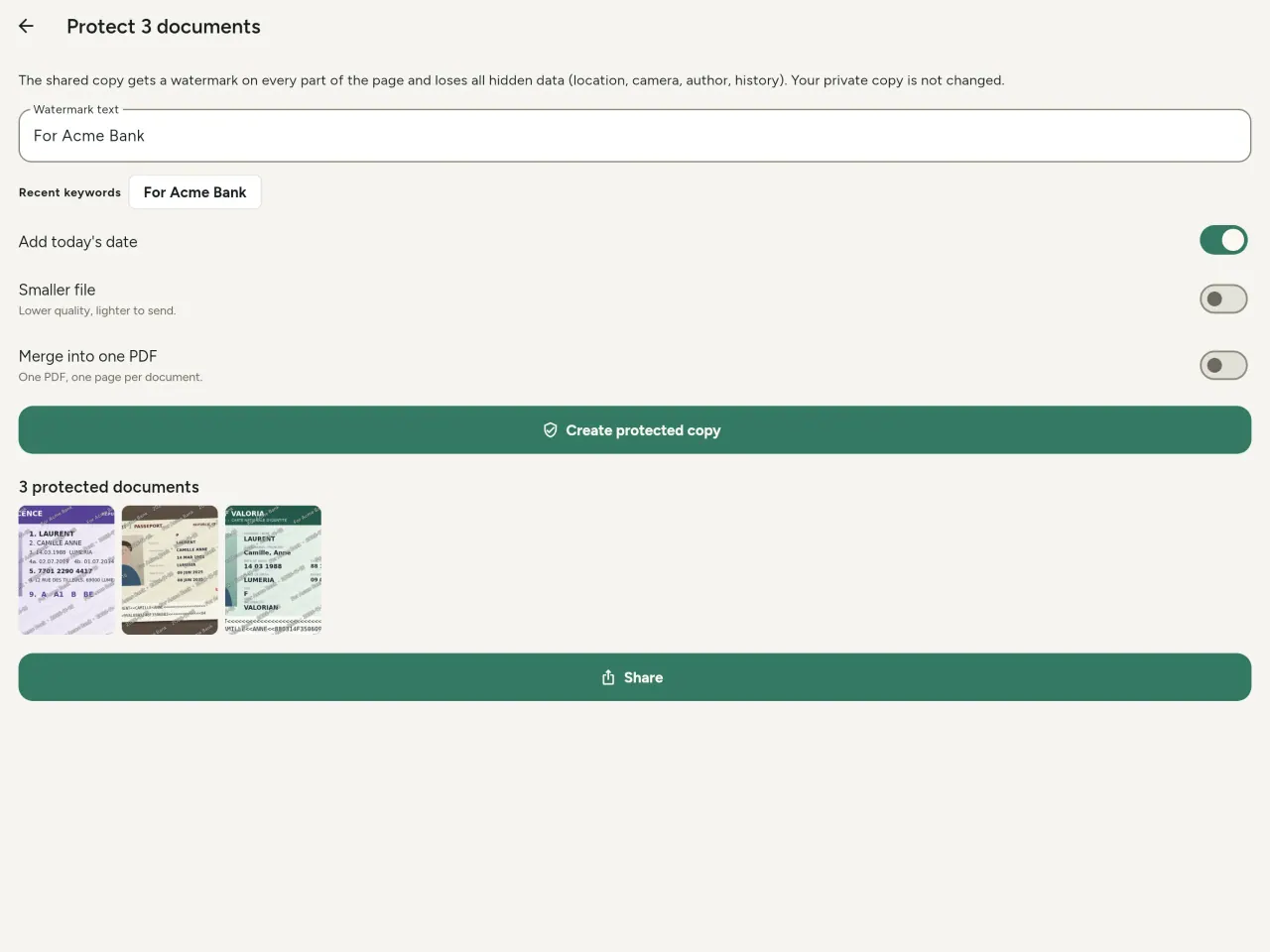
Retschaiva VaultMark.
Gratuit sin iPhone ed Android.
Privacy policy
Il text sutvart è en englais. La versiun englaisa è decisiva.
Last updated: 2026-11-19
VaultMark stores your personal documents on your phone and adds a watermark to a copy before you share it. Your documents stay encrypted on your phone by default, and we collect no personal data, analytics, or tracking information.
What the app handles
Images and PDF files that you add yourself (from your files, or sent to the app from another app). They are encrypted with AES-256-GCM and stored in the app's private storage on your phone. The encryption key is kept in the secure storage of your phone (Android Keystore, iOS Keychain). There is no account, no permanent server storage and no cloud backup.
When you create a protected copy, the app redraws the image or the PDF pages with a watermark (the text you type and, if you choose, today's date) and writes a new file without hidden data (location, camera model, author, history). That file is handed to the app you pick in the system share sheet. Your private copy is never modified.
You can also scan a paper document with the camera. On Android the scan is done by Google's document scanner, which runs on your phone through Google Play services; on iOS it is done by the system scanner. The pages come back to the app and are encrypted like any other document. The scanner's own copies are deleted.
Favourites, tags, checklists for a procedure (the documents to gather, with the ones you attach), an optional saved signature (drawn or imported from an image, deletable in Settings) and backup files are kept inside the app, encrypted with your documents. When you sign a document, you place the signature manually on a page and share a flattened, watermarked, metadata-free copy without modifying your private original. Signing adds a visual image signature only, with no qualified electronic signature or legal guarantee.
You can also ask the app to recognise the text of a document (OCR). Nothing is recognised unless you start it. Printed Latin text is processed on your phone, with a bundled model on Android or Apple Vision on iOS: no image or text is sent to a server and no model is downloaded. The result is a new encrypted searchable PDF, your private original is not modified, and recognition stops if you cancel, leave the app or lock the vault.
What we collect and network use
We collect no analytics, no advertising identifier, no crash reporting and no third-party tracking SDK. All everyday features (storing, viewing, scanning, watermarking and local backup export or import) work without any internet connection. Network access is used only when you initiate one of these actions:
Transfer to another phone: when you choose to send or receive documents in
Settings, encrypted chunks transit ephemerally through our relay
(https://relay.pixeon.net, hosted on Cloudflare Workers and Durable Objects). The
archive is end-to-end encrypted on your device before upload using an ephemeral key carried only in
the one-time QR code, which the relay never sees. Temporary channel data is deleted when the
transfer finishes or is cancelled, or expires automatically (at most 90 days if abandoned).
Optional tips: optional tip purchases processed by Apple or Google Play (see Optional support), or opening our external support page in your browser on direct APK builds.
Permissions
Biometrics (fingerprint or face): only to unlock the vault, if you turn it on. The biometric data is handled by your phone's system; the app only receives a yes or no. Your 6-digit code always remains available.
Camera (iOS only): asked when you scan a paper document or scan a QR code for phone-to-phone transfer. On Android both document scanning and QR scanning run through Google Play services without declaring camera permission in the app.
Internet (Android): declared and used only for user-initiated encrypted
phone-to-phone transfer via https://relay.pixeon.net. No location, contacts,
microphone or shared storage permission. Files are added through the system file picker or the
share sheet, which give the app access to the files you choose only.
Files, backups, phone transfer and deletion
The app's data is excluded from Android and iOS cloud backups on purpose. If you lose or reset the phone, the vault is lost with it, unless you made a backup file or transferred documents yourself. There is no recovery of a forgotten code: keep an original of every document elsewhere.
Backup file: in Settings you can export the whole vault to one file, encrypted with a password you choose (it is not stored and cannot be recovered). The file goes to the share sheet, so you decide where it is kept. Importing it on another phone, with the same password, restores your documents. The app sends nothing. You can also change your 6-digit code in Settings; your documents are not re-encrypted, only the wrapping of the key changes.
Transfer to another phone: in Settings you can transfer selected documents (up to
100 MiB per session) to another phone running VaultMark. The sending phone creates a fresh
random 256-bit key and a single-use 5-minute QR code, displays a 4-digit verification code that
you verify on both screens before anything is uploaded, and transfers HKDF-SHA-256 / AES-256-GCM
encrypted chunks via https://relay.pixeon.net. The relay cannot decrypt documents or
see file or folder names. Existing documents on the receiving phone with the same internal id are
never overwritten, and procedure checklists and any saved signature are omitted.
Protected copies are written to a temporary folder, handed to the share sheet, and deleted when the vault locks and at the next launch. A copy that you sent to another app is then in that app's hands.
Deleting a document in the app removes its encrypted file. Uninstalling the app removes everything.
A watermark discourages misuse and shows where a copy came from. It cannot stop someone who already has the file from sharing it. Screenshots are blocked inside the app on Android release builds.
Optional support
Tips go through in-app purchase, processed by Apple on iOS and by Google Play on Android, under their own terms and privacy policy (the app only learns that a purchase succeeded). Versions installed outside Google Play may instead show a button that opens an external donation page in your browser; nothing from the app is sent to it. A tip unlocks nothing. A small reminder may appear after you have used the app a few times; it stays away for a while once you close it. The app is free and every feature works without tipping.
Contact form on this website
If you write to us through this site, we use your message and the email address you optionally give only to reply. Bot protection is provided by Cloudflare and email delivery by Resend.
Language choice on this website
When you choose a language, or when this site opens a page in your browser's language, it stores
one small functional cookie (pxl, a language code, one year) so that your choice is
remembered. If this site suggests a page in your browser's language and you close that suggestion,
your browser also keeps a local note (pxl-banner-off, in local storage, 30 days) so the
suggestion does not come back. Neither identifies anyone, neither is used for tracking or advertising,
and neither is shared. You can delete them in your browser at any time.
Website statistics
This website uses Cloudflare Web Analytics to count visits (pages viewed, country, browser type, loading speed). It sets no cookie, does not use local storage, does not fingerprint your device, does not follow you across sites and does not build a profile of you. Search engines (for example Google Search Console) give us aggregated search statistics, without any data about individual visitors. Our own web server also counts the pages it serves: for each page it keeps the page address, the site or social network that sent you (only its name, or the campaign tag written in the link), the country, the type of device and whether the request came from a robot. It keeps no IP address, no identifier and no cookie, and these counts are anonymous. We use no advertising or other analytics service. None of this concerns the app itself, which collects nothing.
Children
The app is a general-purpose tool and is not directed at children.
Changes
An updated policy will be published at this URL with a new date above.
Contact
Questions about privacy: vaultmark-contact@pixeon.net
Agid
Actualisà ils: 2026-11-19
VaultMark è ina pitschna app independenta. Las respostas a las dumondas las pli frequentas èn qua sutvart.
Nus faschain il meglier per respunder entaifer paucs dis. Per ans gidar, inditgai il model da Voss apparat, sia versiun dal sistem e quai che Vus faschevas. Per plaschair na tramettai nagins documents u datas persunalas.
È VaultMark propi gratuit?
Gea. VaultMark po vegnir telechargià ed utilisà gratuitamain. I n'èn naginas reclamas e nagin abunament.
Tge storeima u trametta l'app?
Voss documents restan cryptads sin tes telefon, e las funcziuns da mintgadi funcziunan senza rait. Sche ti tschernas Phone-to-phone transfer en Settings, passan parts cryptadas temporarmain tras noss relay (relay.pixeon.net) cun ina clav conservada mo en il QR code d'ina singula utilisaziun, e vegnan lura stizzadas. Detagls en la privacy policy.
Jau hai emblidà mes code. Pudais Vus recuperar mes documents?
Na. I na dat nagina recuperaziun, quai è intenziunà: nagin, era nus betg, na po avrir la cripta senza il code. Perquai recumandain nus da tegnair ina copia originala da mintga document en in auter lieu.
Jau hai midà u pers mes telefon. Nua è mia cripta?
Backup en il cloud èn disactivads intenziunadamain. Avant da reinitialisar u midar telefon, exporta in file da backup cryptà (.vmbk, protegì cun sia atgna password) en Settings, Backup, u dovra Phone-to-phone transfer en Settings per copiar documents cun in QR code e cryptaziun da fin a fin.
Co poss jau agiuntar ina filigrana ad ina copia d'identitad u ad in document?
- Parta d'ina carta d'identitad sin palpiri, d'in file sin tes telefon u d'in auter app: scannescha ella cun la camera (emprim pass per la proteger avant da la trametter), tscherna in PDF u in maletg, u dovra Share u Open with VaultMark.
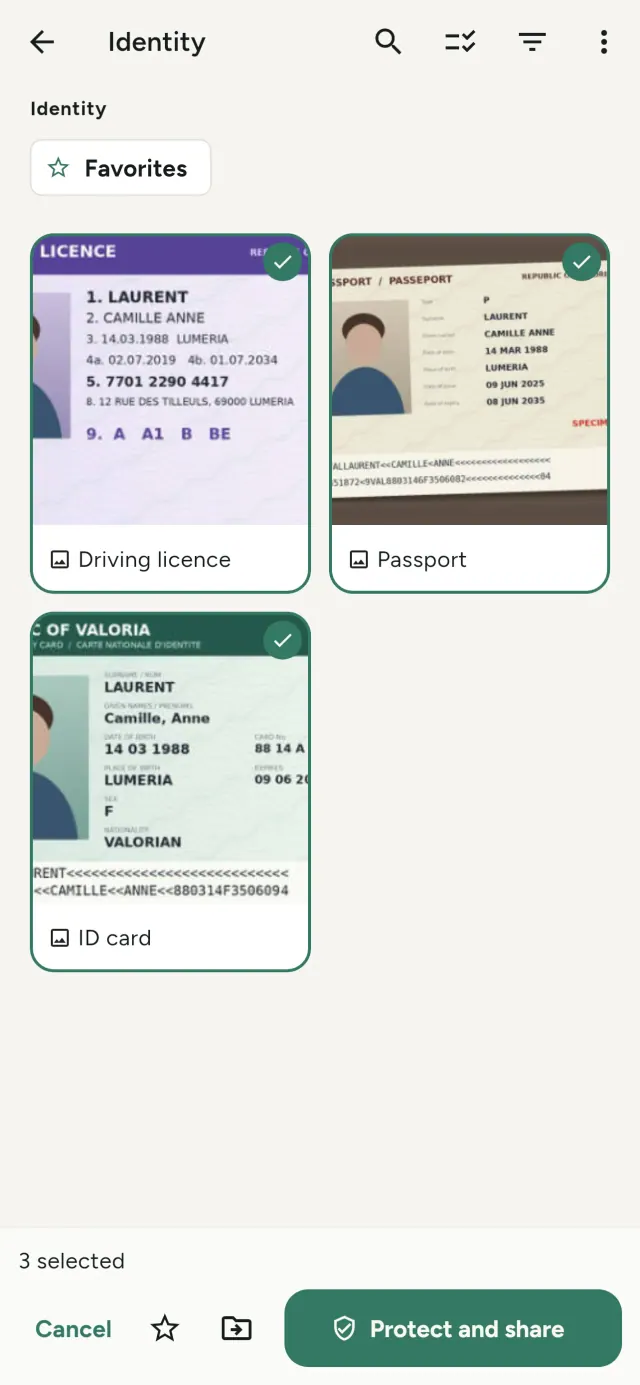
- Tscherna in u plirs documents (da tes ordinaturs u d'ina glista da controlla), smatga Protect and share, scriva il destinatari e, facultativamain, la data, e tscherna sch'igl duai unir las paginas en in unic PDF u serrar el cun ina password AES-256.
- Trametta el cun il fegl da compartir dal sistem: ils metadata zuppads vegnan allontanads, il file vegn reconstruì dals pixels, e tia copia privata na vegn mai midada.
Poss jau signar in document localmain?
Gea. Avra in maletg u PDF en tia cripta e smatga Sign. Dovra ina suttascripziun dissenyada u importa in maletg (conservà cryptà en la cripta e stizzabel en Settings), plazza e mida sia grondezza manualmain sin ina pagina, e protegia e parta ina copia appiattida cun filigrana e metadata allontanads. Quai agiunta mo ina suttascripziun visuala, senza suttascripziun electronica qualifitgada u garanzia legala.
Poss jau scanneschar in document sin palpiri u agiuntar in da in auter app?
Gea. En VaultMark pos ti scanneschar paginas sin palpiri cun la camera u importar files, e d'in auter app pos ti dovrar Share u Open with VaultMark per proteger immediatamain in file senza al agiuntar a la cripta.
Tge files vegnan sustegnids?
Maletgs e files PDF. Cura che ti partas, las paginas PDF vegnan transfurmadas en maletgs cun filigrana (uschia na po la filigrana betg vegnir stgarpada), e plirs documents pon vegnir unids facultativamain en in PDF protegì cun ina password AES-256. Files fitg gronds vegnan refusads (fin a 60 paginas e 80 megapixels).
Poss jau tschertgar il text d'in document scannescha?
Gea. Avra in document e lantscha la renconuschientscha da text (OCR) sin dumonda. Ella creescha in nov PDF cryptà e tschertgabel e lascha l'original invarià. La renconuschientscha vegn fatga sin tes telefon (text latin stampà), nagut vegn tramess ad in server e nagut vegn renconuschì fin che ti lantschas ella.
La filigrana ma protegia ella cumplettamain?
Ella dissuada l'abus e mussa da nua che ina copia deriva, ma ella na po impedir a tgi che ha gia il file da l'udir vinavant. Parta documents mo cun persunas da confidenza.
Pertge na poss jau betg far ina captura da la mascra?
Sin Android èn las capturas da la mascra e la registraziun da la mascra bloccadas entaifer l'app per proteger tes documents.
Tge linguas èn disponiblas?
75 linguas: englais, franzos, tudestg, spagnol, talian, portugais, arab, chinais (simplifitgà e tradiziunal), giapunais, corean, hindi, russ e bleras autras. L'app suonda la lingua da tes telefon e ti pos la midar en Settings. Las translaziuns da las linguas pli novas èn assistidas da maschina e vegnan meglieradas cun tes feedback.
Sustegnair il project
VaultMark resta gratuit e senza reclama. Sche l'app ta serva, pos ti sustegnair il svilup (facultativ):
Buy Me a CoffeeExpense tracker and family budget planner. Free phone sync, no account.
Era da PixeonMetadata CleanerVisur, editur e nettegiader da metadatas da fotos: lieu, data.
Era da PixeonLittle RelayBreastfeeding, sleep and starting solids tracker. No account, works offline.
Era da PixeonMenuloopMeal planner and grocery list for the week. Recipes with photos, offline.
Era da PixeonIndie OfficeQuote maker and self-employed invoices. Offline, no account, no ads.
Era da PixeonFanionDiscover and share local events, concerts, markets and weekend outings nearby