
VaultMark Vault Yamadokhumenti
I-vault yamadokhumenti: iskena, watermark PDF kanye ne-metadata.
Kumahhala. Azikho izikhangiso. Akukho okubhaliselwe.


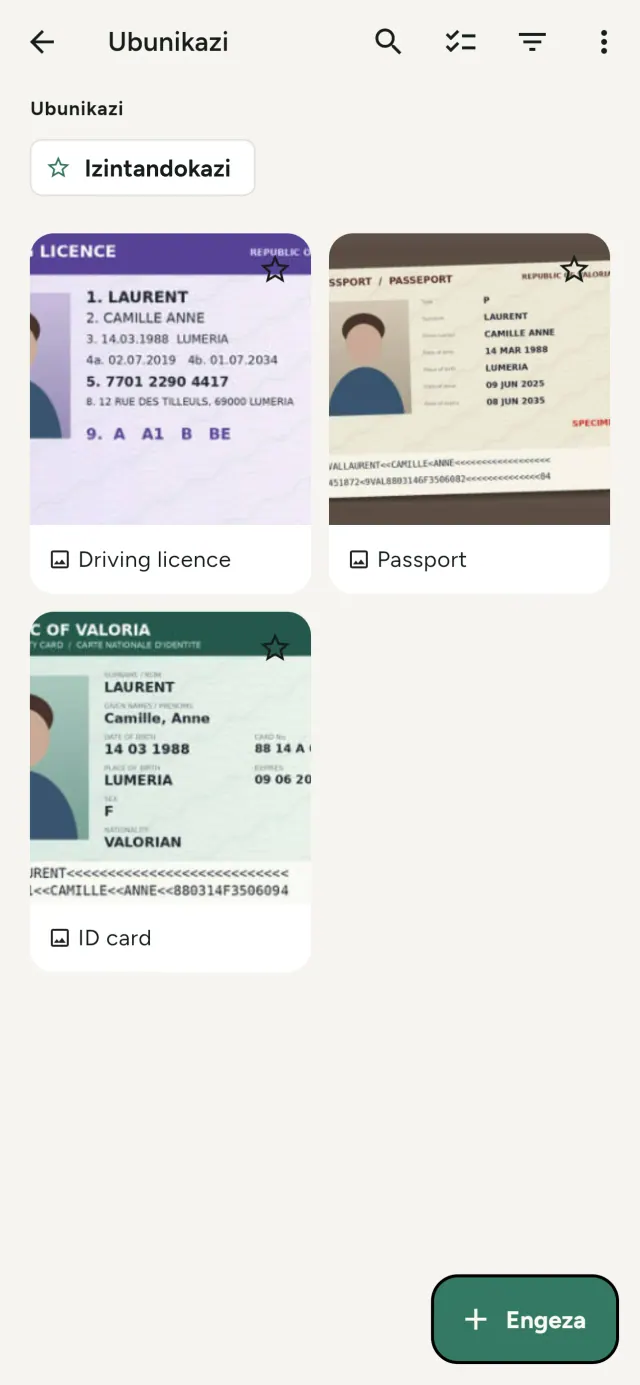
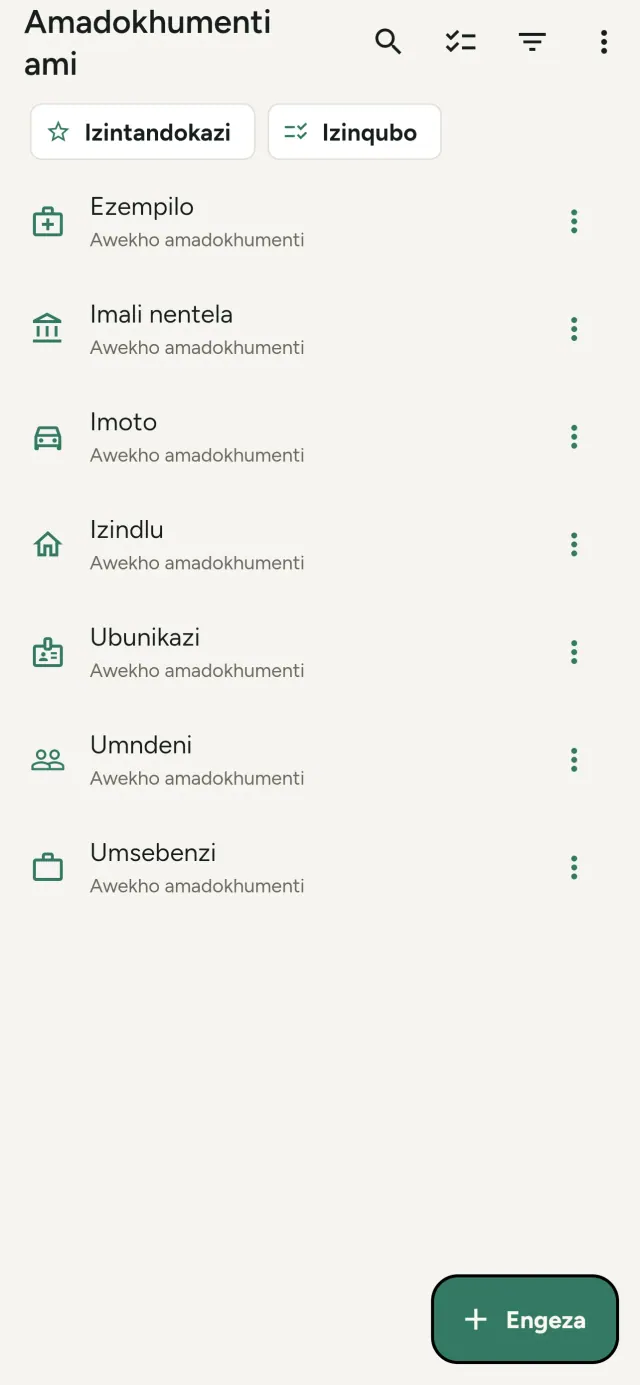
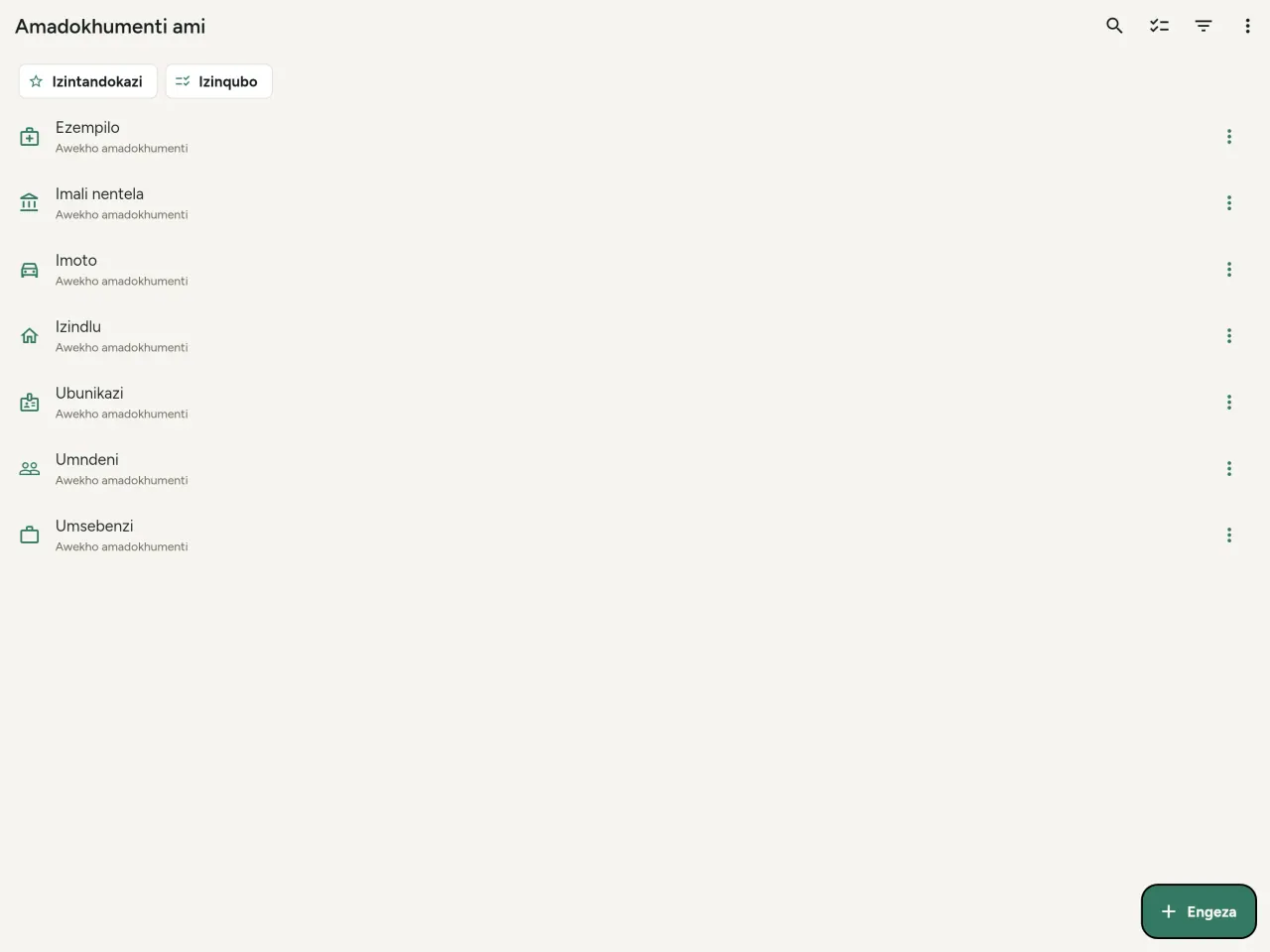
I-VaultMark iyindawo yendawo ebethelwe (i-vault yamadokhumenti) yokugcina omazisi, izinkontileka nama-PDF abucayi ocingweni lwakho futhi uwavikele ngaphambi kokwabelana ngawo.
Okwenziwa yi-VaultMark
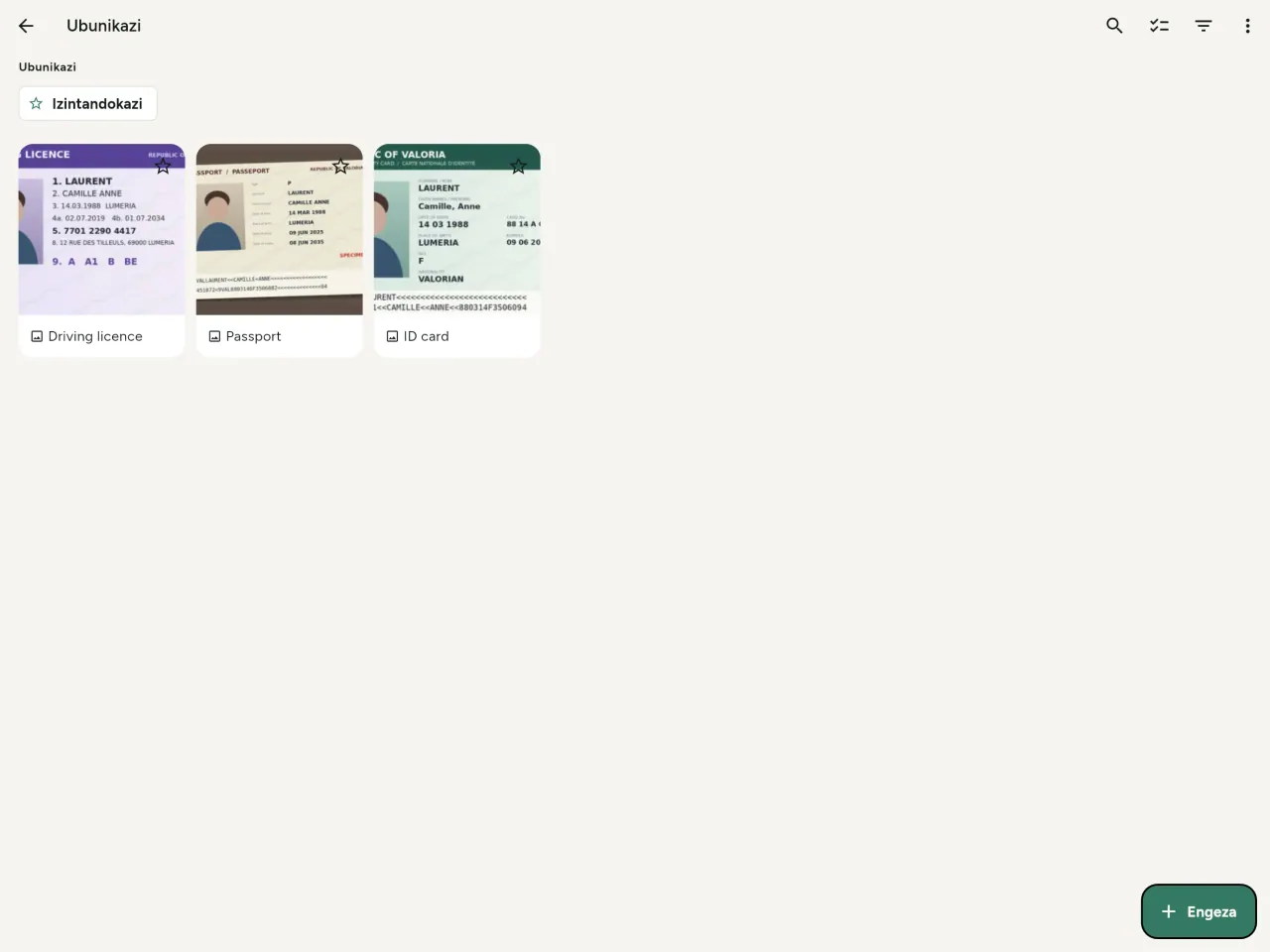
I-Vault Yamadokhumenti Ebethelwe Kufoni
I-Watermark kanye Nokususwa Kwe-Metadata Ngaphambi Kokuthumela
- Amadokhumenti, amarisidi nama-PDF kuthola ukubethela kwe-AES-256-GCM ngqo ocingweni ngaphandle kwamaseva efu.
- Vula nge-PIN yamadijithi angu-6 kanye ne-biometrics, nokukhiya okuzenzakalelayo.
- Khumbula i-PIN yakho: ngaphandle kwe-akhawunti noma ukutakula kweseva, i-PIN elahlekile ayibuyiselwa.
- Iskena samadokhumenti ephepha esakhelwe ngaphakathi ukuze sifake amaphepha ekulondolozweni ngokushesha.
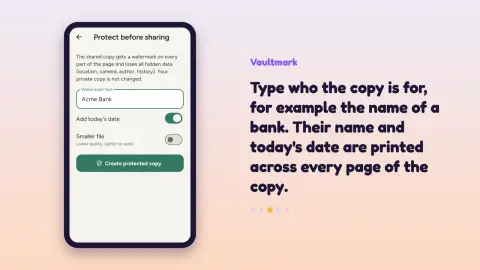
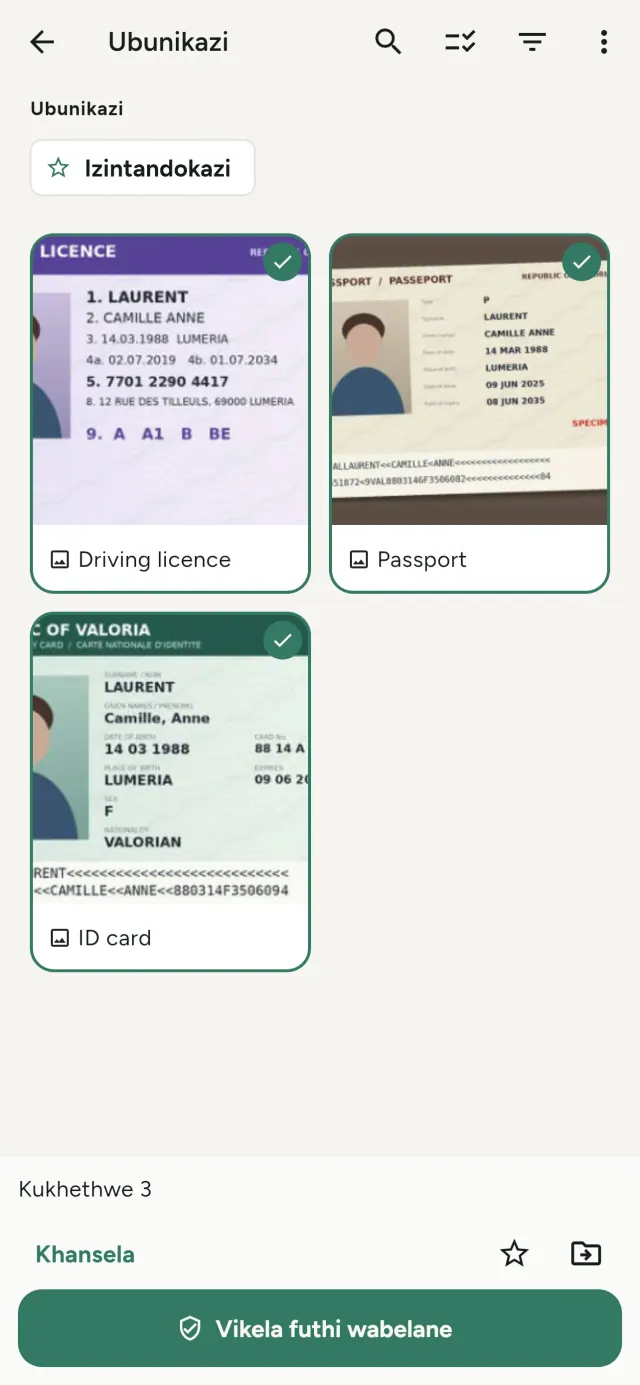
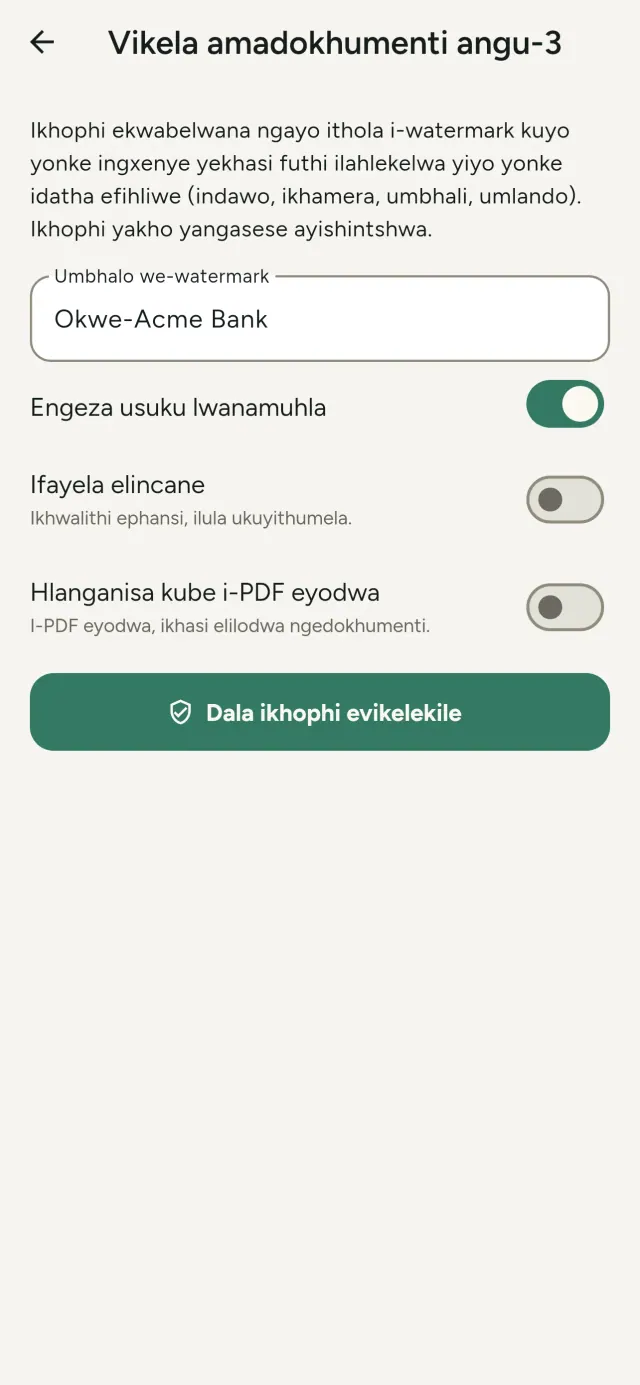
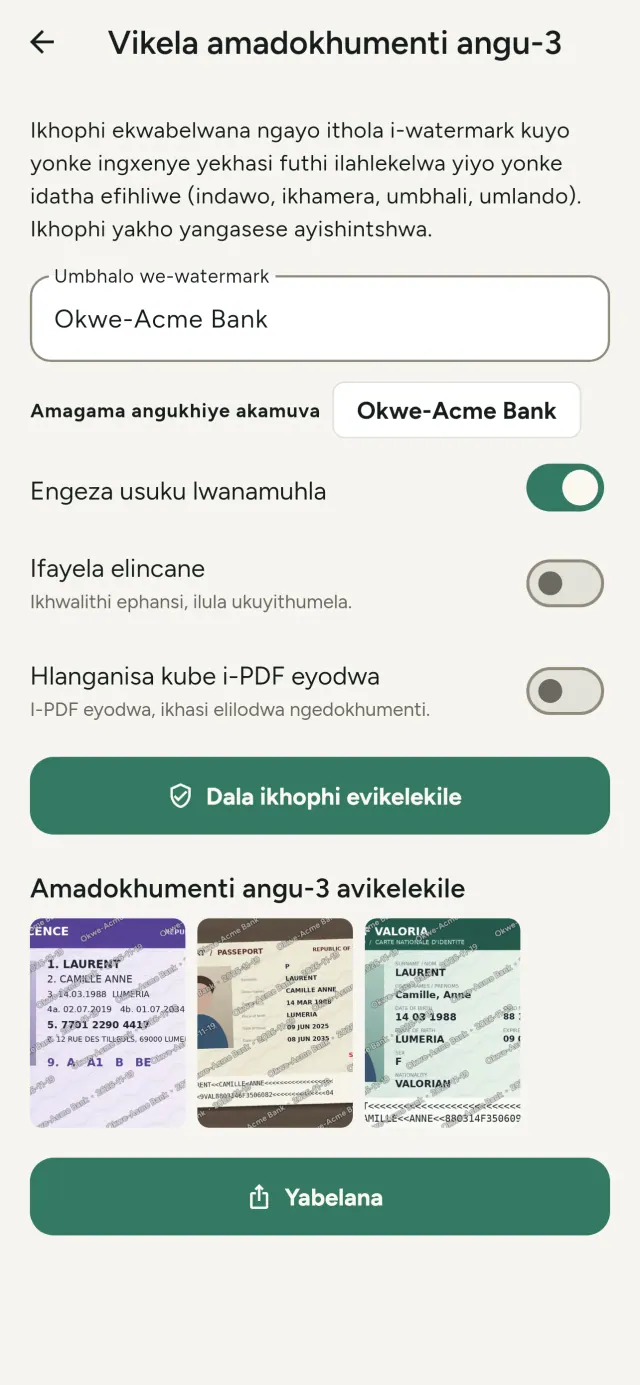
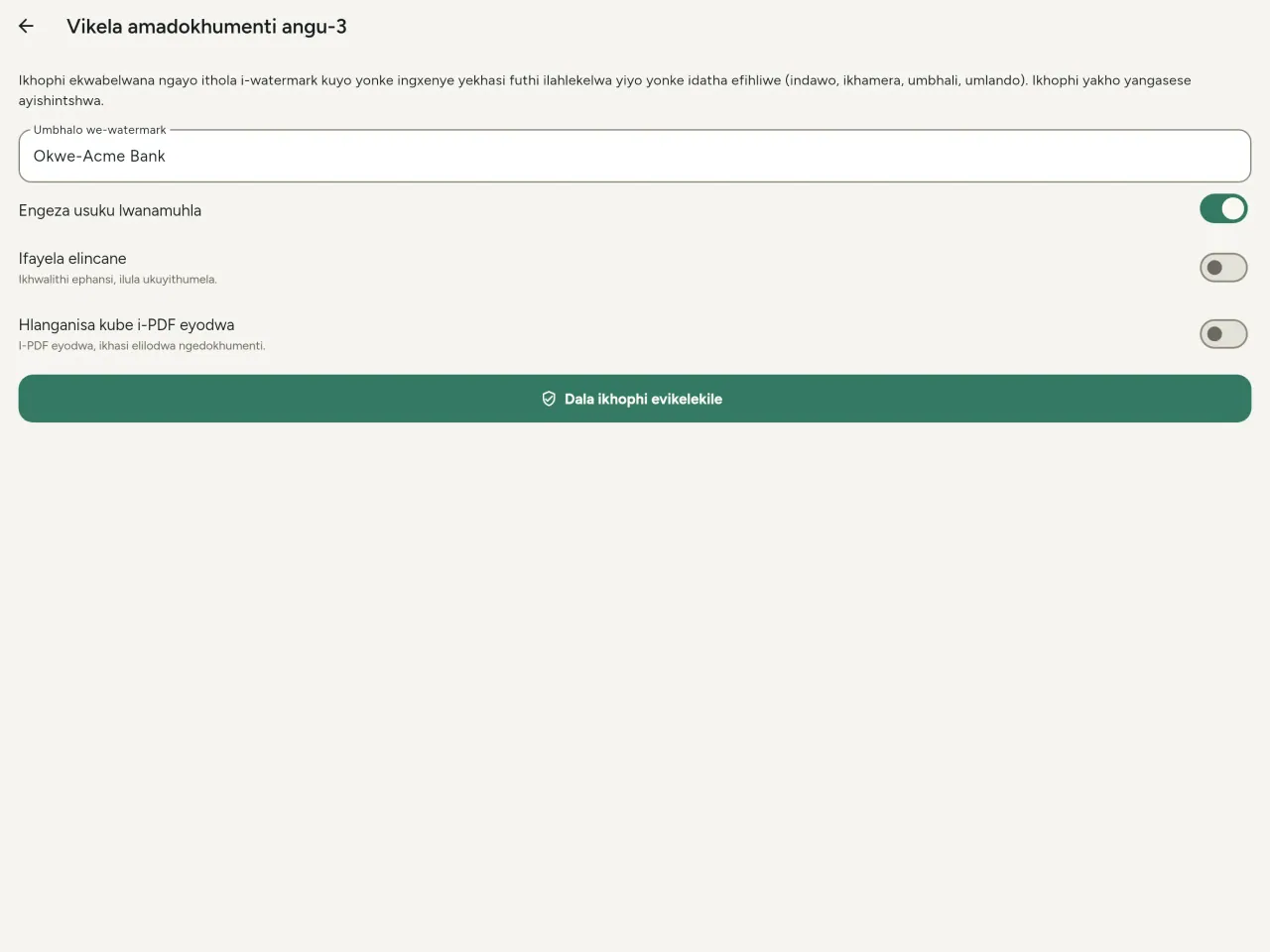
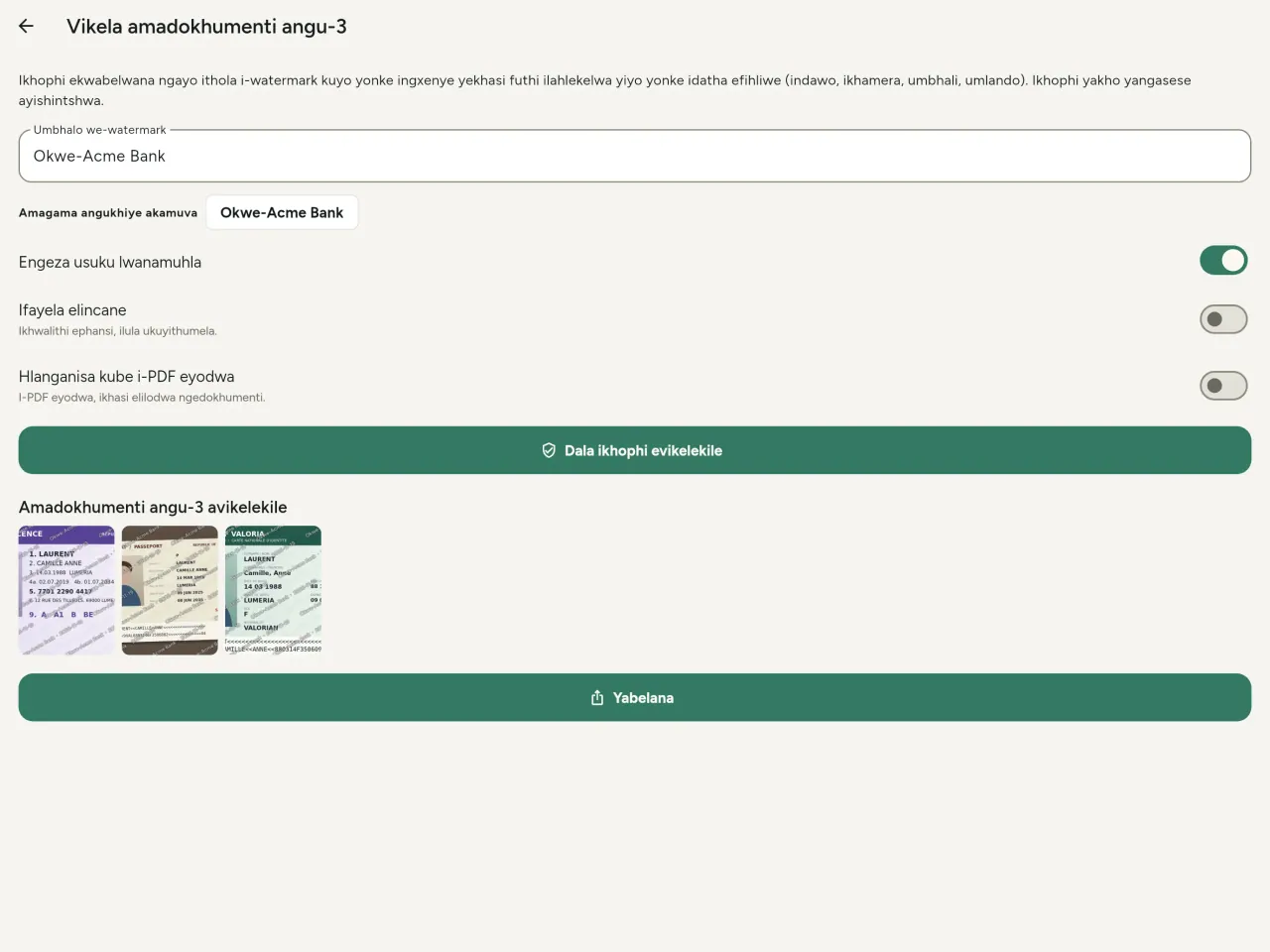
- I-watermark ekhasini lonke enomamukeli nenhloso, ukukhanya okuguqukayo, i-engeli nobukhulu.
- Ukuthekelisa okuhlanzekile: ukwakha kabusha amaphikseli nokucaba amakhasi e-PDF kususa i-EXIF, indawo, umbhali nolwazi lwedivayisi (yonke i-metadata iyakhishwa).
- Hlanganisa ama-PDF amaningi bese ungeza iphasiwedi ye-PDF ye-AES-256 uma kudingeka.
Kulungele Imisebenzi Yansuku Zonke
- Ukungenisa okusheshayo nge-menu ye-Yabelana kwezinye izinhlelo zokusebenza noma isikhethi samafayela.
- Uhlu lokuhlola izinqubo (ukuqasha, ibhange, iziphathimandla) oluxhunywe kumafayela aku-vault.
- Isipele esibethelwe (.vmbk) nokudlulisela okuqondile phakathi kwamafoni ngekhodi ye-QR ebethelwe.
Sayina Futhi Usesha Amadokhumenti Akho
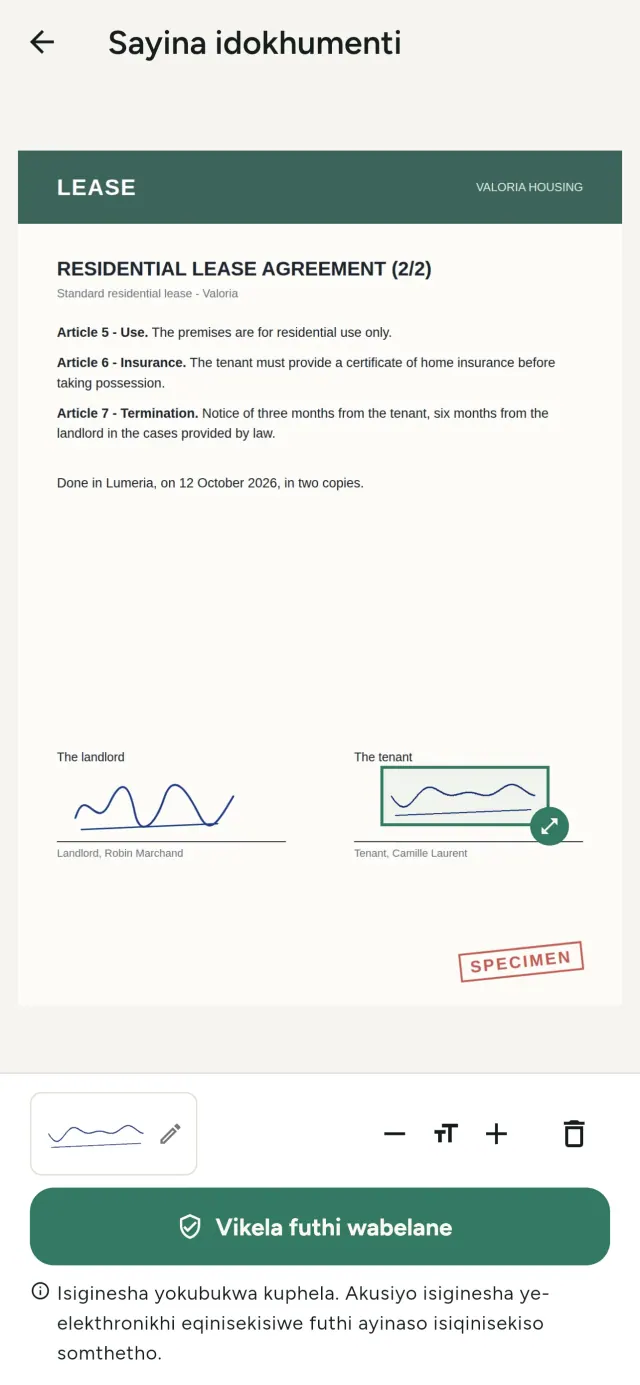
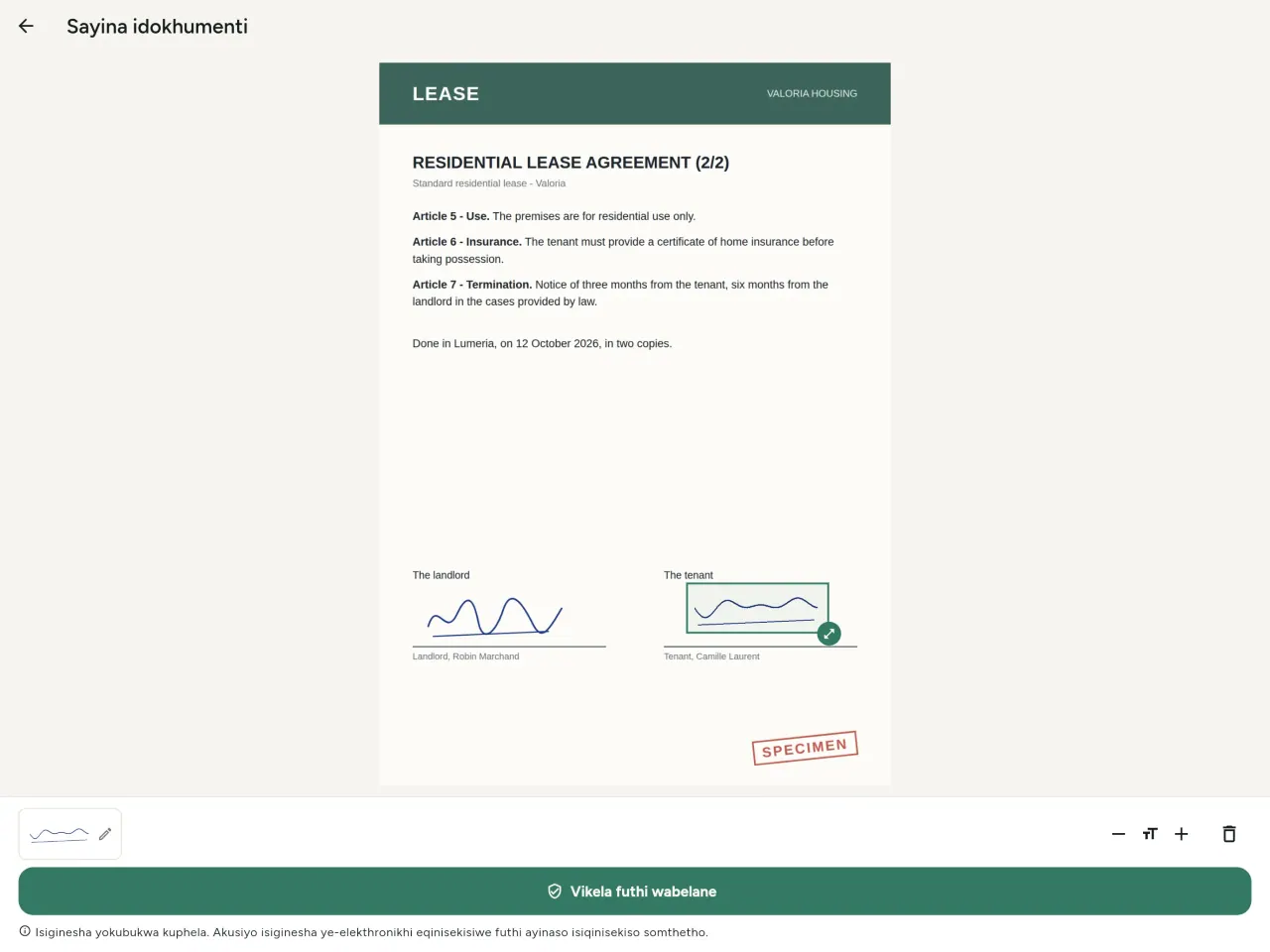
Dweba isignesha yakho noma ungenise isithombe, bese uyibeka ekhasini le-PDF noma esithombeni esiskenwe sedokhumenti, ngqo efonini yakho. Isignesha egciniwe igcinwa ibethelwe ku-vault, futhi ikhophi oyabelanayo iyisicaba, inewatermark futhi ayinayo i-metadata (isignesha ebonakalayo kuphela, ayinawo amandla asemthethweni). Udinga ukusesha kuskeni? Qalisa i-OCR uma uyidinga ukuze wenze i-PDF engasesheka, icutshungulwa efonini yakho futhi ayiyiswa ndawo. I-app itholakala ngezilimi ezingu-75.
Akukho Fu, Akukho Ukulandelela
- Akukho akhawunti, azikho izikhangiso futhi akukho ukuhlaziya.
- Ukusetshenziswa kwansuku zonke kusebenza ungaxhunyiwe ku-inthanethi; i-relay ebethelwe isetshenziswa kuphela uma ucela ukudlulisa nge-QR.
Imihlahlandlela ye-VaultMark
Ukuba ngubani okufanele kube khona
- Noma ubani okufanele athumele ikhophi le-ID, ubufakazi bokuhlala noma i-payslip (isicelo sokuqasha, ibhange, umqashi, uhulumeni).
- Abakhathazekile ngokuvuza kwedatha abafuna ukuphatha imininingwane yabo mathupha nokuyivikela kangcono uma behlulekile ukukhetha kokwabelana.
- Abantu abafuna ukugcina izinkontileka, iphepha lezokwelapha neminye imibhalo ebalulekile ivikelekile kudivayisi yabo.
- Abathola i-PDF noma isithombe futhi bafuna ukusivikela ngokushesha, ngaphandle kokwengeza ebuthekeni.
Kungani ukhethe VaultMark
- Imibhalo yomuntu siqu iyadingeka abawebi bokuzibona ukuthatha isikweletu, ukusayina inkontileka noma ukuqasha ifulethi egameni lakho. Ikhophi ye-ID noma i-payslip ehanjiswe ngaphandle kokuvikelwa ingasetshenziswa enye into, isikhathi eside emva kokuba uyithumele. I-VaultMark ibeka uphawu lwe-watermark kuyo yonke ikhasi enomamukeli nosuku (isibonelo 'For Example Bank, rental application, 2026-10-05'), ukuze ikhophi evuzile ingenakusetshenziswa enye into futhi itholakale ngento eyabelwane ngayo.
- Ifayela elabelwe kabusha lakhiwa kusukela kumapikseli: uphawu lwe-watermark alunakususwa futhi imininingwane efihliwe (indawo, umbhali, umlando wokuhlela) isusiwe. Ikhophi yakho yangasese ayishintshiwe.
- Ukubethelwa kwe-AES-256-GCM, okhiye kugcinwe endaweni ephephile kudivayisi. Awekhona ama-akhawunti, awekho amafu, awekho amalogi.
Izinto uhlelo olungakakwenzi okwamanje
- Awekho amafu noma ukuvumelanisa phakathi kwamadivayisi okwamanje: i-vault ihlala kudivayisi kuphela.
- Uphawu lwe-watermark lwenza ikhophi kube nzima ukuyisebenzisa futhi kube lula ukuyithola. Aluvimba muntu ukugcina ikhophi oyithumele ngokuzithandela.
Isimiso sePixeon. Izinhlelo zokusebenza zePixeon zisebenza endaweni: awekho ama-akhawunti, awekho amalogi, futhi idatha yakho ihlala ocingweni lwakho. Uma uhlelo lokusebenza luxhuma kunethiwekhi, kuba kuphela uma ukhetha ukuvula isici osidingayo, kanti inqubomgomo yobumfihlo ibuyekezwa ngaphambi kokuthi ithunyelwe.
Bona VaultMark isebenza.
Thola i-VaultMark.
Mahhala ku-iPhone naku-Android.
Privacy policy
Umbhalo ongezansi ungowesiNgisi. Inguqulo yesiNgisi iyona esebenzayo.
Last updated: 2026-11-19
VaultMark stores your personal documents on your phone and adds a watermark to a copy before you share it. Your documents stay encrypted on your phone by default, and we collect no personal data, analytics, or tracking information.
What the app handles
Images and PDF files that you add yourself (from your files, or sent to the app from another app). They are encrypted with AES-256-GCM and stored in the app's private storage on your phone. The encryption key is kept in the secure storage of your phone (Android Keystore, iOS Keychain). There is no account, no permanent server storage and no cloud backup.
When you create a protected copy, the app redraws the image or the PDF pages with a watermark (the text you type and, if you choose, today's date) and writes a new file without hidden data (location, camera model, author, history). That file is handed to the app you pick in the system share sheet. Your private copy is never modified.
You can also scan a paper document with the camera. On Android the scan is done by Google's document scanner, which runs on your phone through Google Play services; on iOS it is done by the system scanner. The pages come back to the app and are encrypted like any other document. The scanner's own copies are deleted.
Favourites, tags, checklists for a procedure (the documents to gather, with the ones you attach), an optional saved signature (drawn or imported from an image, deletable in Settings) and backup files are kept inside the app, encrypted with your documents. When you sign a document, you place the signature manually on a page and share a flattened, watermarked, metadata-free copy without modifying your private original. Signing adds a visual image signature only, with no qualified electronic signature or legal guarantee.
You can also ask the app to recognise the text of a document (OCR). Nothing is recognised unless you start it. Printed Latin text is processed on your phone, with a bundled model on Android or Apple Vision on iOS: no image or text is sent to a server and no model is downloaded. The result is a new encrypted searchable PDF, your private original is not modified, and recognition stops if you cancel, leave the app or lock the vault.
What we collect and network use
We collect no analytics, no advertising identifier, no crash reporting and no third-party tracking SDK. All everyday features (storing, viewing, scanning, watermarking and local backup export or import) work without any internet connection. Network access is used only when you initiate one of these actions:
Transfer to another phone: when you choose to send or receive documents in
Settings, encrypted chunks transit ephemerally through our relay
(https://relay.pixeon.net, hosted on Cloudflare Workers and Durable Objects). The
archive is end-to-end encrypted on your device before upload using an ephemeral key carried only in
the one-time QR code, which the relay never sees. Temporary channel data is deleted when the
transfer finishes or is cancelled, or expires automatically (at most 90 days if abandoned).
Optional tips: optional tip purchases processed by Apple or Google Play (see Optional support), or opening our external support page in your browser on direct APK builds.
Permissions
Biometrics (fingerprint or face): only to unlock the vault, if you turn it on. The biometric data is handled by your phone's system; the app only receives a yes or no. Your 6-digit code always remains available.
Camera (iOS only): asked when you scan a paper document or scan a QR code for phone-to-phone transfer. On Android both document scanning and QR scanning run through Google Play services without declaring camera permission in the app.
Internet (Android): declared and used only for user-initiated encrypted
phone-to-phone transfer via https://relay.pixeon.net. No location, contacts,
microphone or shared storage permission. Files are added through the system file picker or the
share sheet, which give the app access to the files you choose only.
Files, backups, phone transfer and deletion
The app's data is excluded from Android and iOS cloud backups on purpose. If you lose or reset the phone, the vault is lost with it, unless you made a backup file or transferred documents yourself. There is no recovery of a forgotten code: keep an original of every document elsewhere.
Backup file: in Settings you can export the whole vault to one file, encrypted with a password you choose (it is not stored and cannot be recovered). The file goes to the share sheet, so you decide where it is kept. Importing it on another phone, with the same password, restores your documents. The app sends nothing. You can also change your 6-digit code in Settings; your documents are not re-encrypted, only the wrapping of the key changes.
Transfer to another phone: in Settings you can transfer selected documents (up to
100 MiB per session) to another phone running VaultMark. The sending phone creates a fresh
random 256-bit key and a single-use 5-minute QR code, displays a 4-digit verification code that
you verify on both screens before anything is uploaded, and transfers HKDF-SHA-256 / AES-256-GCM
encrypted chunks via https://relay.pixeon.net. The relay cannot decrypt documents or
see file or folder names. Existing documents on the receiving phone with the same internal id are
never overwritten, and procedure checklists and any saved signature are omitted.
Protected copies are written to a temporary folder, handed to the share sheet, and deleted when the vault locks and at the next launch. A copy that you sent to another app is then in that app's hands.
Deleting a document in the app removes its encrypted file. Uninstalling the app removes everything.
A watermark discourages misuse and shows where a copy came from. It cannot stop someone who already has the file from sharing it. Screenshots are blocked inside the app on Android release builds.
Optional support
Tips go through in-app purchase, processed by Apple on iOS and by Google Play on Android, under their own terms and privacy policy (the app only learns that a purchase succeeded). Versions installed outside Google Play may instead show a button that opens an external donation page in your browser; nothing from the app is sent to it. A tip unlocks nothing. A small reminder may appear after you have used the app a few times; it stays away for a while once you close it. The app is free and every feature works without tipping.
Contact form on this website
If you write to us through this site, we use your message and the email address you optionally give only to reply. Bot protection is provided by Cloudflare and email delivery by Resend.
Language choice on this website
When you choose a language, or when this site opens a page in your browser's language, it stores
one small functional cookie (pxl, a language code, one year) so that your choice is
remembered. If this site suggests a page in your browser's language and you close that suggestion,
your browser also keeps a local note (pxl-banner-off, in local storage, 30 days) so the
suggestion does not come back. Neither identifies anyone, neither is used for tracking or advertising,
and neither is shared. You can delete them in your browser at any time.
Website statistics
This website uses Cloudflare Web Analytics to count visits (pages viewed, country, browser type, loading speed). It sets no cookie, does not use local storage, does not fingerprint your device, does not follow you across sites and does not build a profile of you. Search engines (for example Google Search Console) give us aggregated search statistics, without any data about individual visitors. Our own web server also counts the pages it serves: for each page it keeps the page address, the site or social network that sent you (only its name, or the campaign tag written in the link), the country, the type of device and whether the request came from a robot. It keeps no IP address, no identifier and no cookie, and these counts are anonymous. We use no advertising or other analytics service. None of this concerns the app itself, which collects nothing.
Children
The app is a general-purpose tool and is not directed at children.
Changes
An updated policy will be published at this URL with a new date above.
Contact
Questions about privacy: vaultmark-contact@pixeon.net
Usekelo
Kugcine ukubuyekezwa: 2026-11-19
IVaultMark wuhlelo oluncane oluzimele. Izimpendulo zemibuzo evame ukubuzwa zibhaliwe ngezansi.
Senza konke okusemandleni ethu ukuphendula ezinsukwini ezimbalwa. Ukuze usisize, sitshele imodeli yedivayisi yakho, inguqulo yesistimu yayo nokuthi ubuwenzani. Sicela ungathumeli imibhalo yakho noma idatha yomuntu siqu.
Ingabe i-VaultMark imahhala ngempela?
Yebo. I-VaultMark ingalandwa futhi isetshenziswe mahhala. Azikho izikhangiso noma ukubhalisa.
Yiyiphi idatha egcinwa noma ethunyelwa uhlelo lokusebenza?
Amadokhumenti akho ahlala ebethelwe ocingweni lwakho, futhi imisebenzi yansuku zonke isebenza ngaphandle kwenethiwekhi. Uma ukhetha Ukudlulisa usuka ocingweni uye kolunye kokuthi Izilungiselelo, izingxenye ezibethelwe zidlula okwesikhashana ku-relay.pixeon.net kusetshenziswa ukhiye ogcinwe kuphela kukhodi ye-QR esetshenziswa kanye, bese zisulwa. Imininingwane ikumgomo wobumfihlo.
Ngikhohliwe ikhodi yami. Ningawabuyisa amadokhumenti ami?
Cha. Akukho ukubuyiselwa ngamabomu: akekho, kuhlanganise nathi, ongavula igumbi elivikelekile ngaphandle kwekhodi. Yingakho sincoma ukuthi ugcine ikhophi yoqobo yawo wonke amadokhumenti kwenye indawo.
Ngishintshe noma ngalahlekelwa ucingo lwami. Likuphi igumbi lami elivikelekile?
Izipele zamafu zikhutshazwe ngamabomu. Ngaphambi kokusetha kabusha noma ukushintsha ucingo, khipha ifayela lesipele elibethelwe (.vmbk, elivikelwe ngephasiwedi yalo) kokuthi Izilungiselelo, Izipele, noma sebenzisa Ukudlulisa usuka ocingweni uye kolunye kokuthi Izilungiselelo ukuze ukopishe amadokhumenti ngekhodi ye-QR enokubethela kusukela ekuqaleni kuye ekugcineni.
Ngiyengeza kanjani i-watermark kukhophi kamazisi noma kudokhumenti?
- Qala ngomazisi wephepha, ifayela elisocingweni lwakho noma olunye uhlelo lokusebenza: kuskene ngekhamera (isinyathelo sokuqala sokuvikela ngaphambi kokuthumela), khetha i-PDF noma isithombe, noma usebenzise Yabelana noma Vula nge-VaultMark.
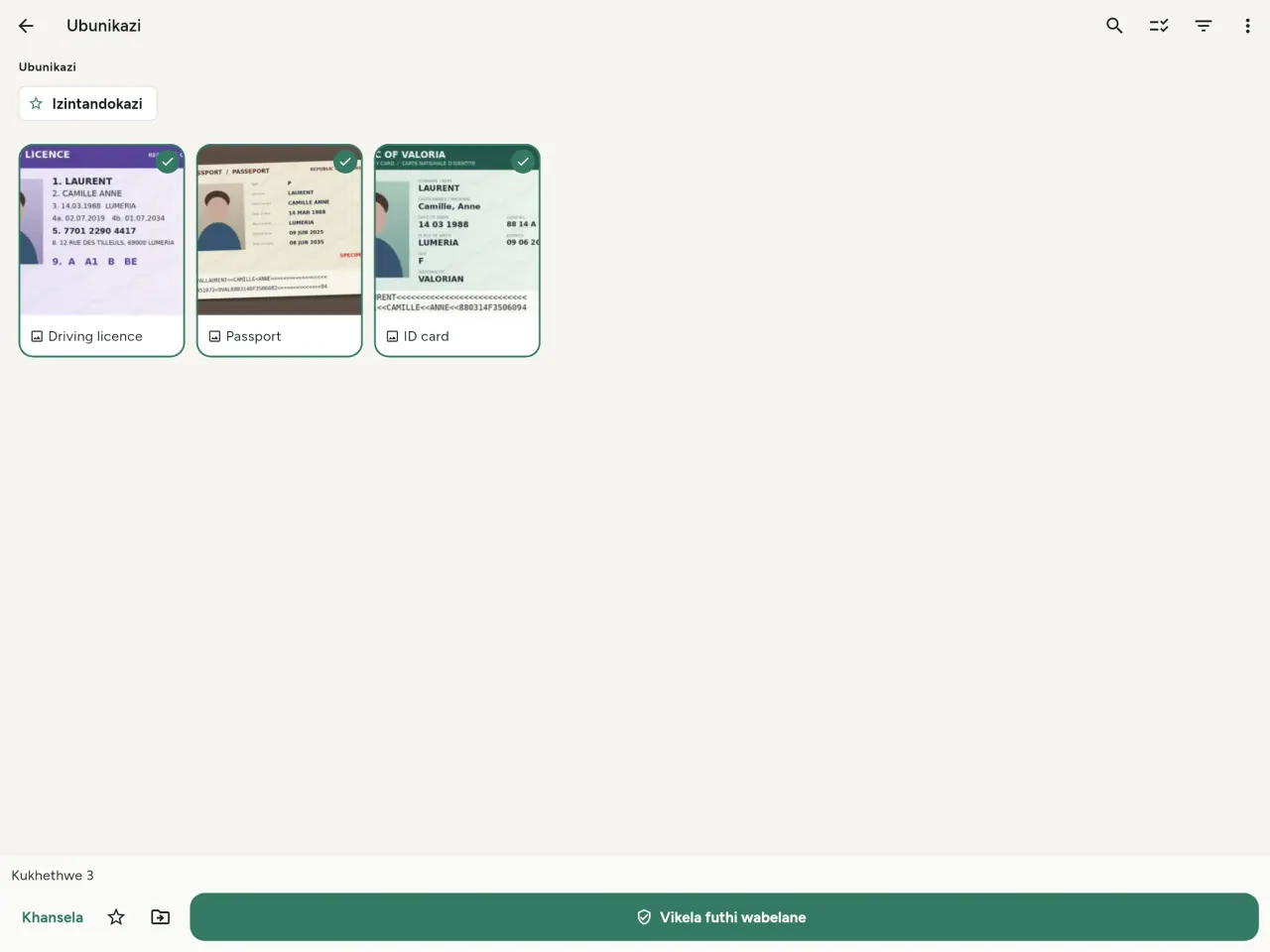
- Khetha idokhumenti eyodwa noma eziningana (kumafolda akho noma ohlwini lokuhlola lwenqubo), thepha Vikela bese wabelana, faka umamukeli nosuku ongazikhethela, bese ukhetha ukuhlanganisa amakhasi abe yi-PDF eyodwa noma uyikhiye ngephasiwedi ye-AES-256.
- Thumela ngefasitela lokwabelana lohlelo: imethadatha efihliwe iyasuswa, ifayela lakhiwa kabusha ngamaphikseli, futhi ikhophi yakho eyimfihlo ayiguqulwa.
Ngingasayina idokhumenti ngqo kudivayisi?
Yebo. Vula isithombe noma i-PDF egumbini lakho elivikelekile bese uthepha Sayina. Dweba isiginesha noma ungenise isithombe (sigcinwa sibethelwe egumbini elivikelekile futhi singasuswa kokuthi Izilungiselelo), sibeke futhi uguqule usayizi waso ekhasini ngesandla, bese uvikela futhi wabelane ngekhophi ehlanganisiwe ene-watermark nemethadatha esusiwe. Lokhu kwengeza isiginesha ebonakalayo kuphela, hhayi isiginesha ye-elekthronikhi efanelekile noma isiqinisekiso esisemthethweni.
Ngingaskena idokhumenti yephepha noma ngiyengeze kolunye uhlelo lokusebenza?
Yebo. Ngaphakathi kwe-VaultMark ungaskena amakhasi ephepha ngekhamera noma ungenise amafayela, futhi kolunye uhlelo lokusebenza ungasebenzisa Yabelana noma Vula nge-VaultMark ukuze uvikele ifayela ngokushesha ngaphandle kokulengeza egumbini elivikelekile.
Yimaphi amafayela asekelwayo?
Izithombe namafayela e-PDF. Uma wabelana, amakhasi e-PDF aguqulwa abe izithombe ezinama-watermark (ukuze i-watermark ingakwazi ukuxebulwa), futhi amadokhumenti amaningana angahlanganiswa abe yi-PDF eyodwa evikelwe ngokuzikhethela ngephasiwedi ye-AES-256. Amafayela amakhulu kakhulu ayenqatshwa (afika kumakhasi angu-60 nama-megapixel angu-80).
Ngingawucinga umbhalo wedokhumenti eskeniwe?
Yebo. Vula idokhumenti bese uqala ukubona umbhalo (OCR) uma kudingeka. Lokhu kwakha i-PDF entsha esebethelwe neseshwayo futhi kushiya eyakho yoqobo ingaguquki. Ukubonwa kusebenza ocingweni lwakho (umbhalo wesi-Latin ophrintiwe), akukho lutho oluthunyelwa kuseva futhi akukho okubonwayo ngaphandle kokuthi ukuqale.
Ingabe i-watermark ingivikela ngokuphelele?
Yehlisa ukusetshenziswa kabi futhi ikhombisa ukuthi ikhophi ivela kuphi, kodwa ayikwazi ukuvimba umuntu osenalo ifayela ukuthi abelane ngalo. Yabelana ngamadokhumenti kuphela nabantu obathembayo.
Kungani ngingakwazi ukuthatha isithombe-skrini?
Kwi-Android, ukuthatha izithombe-skrini nokuqopha isikrini kuvinjelwe ngaphakathi kohlelo lokusebenza ukuze kuvikelwe amadokhumenti akho.
Yiziphi izilimi ezitholakalayo?
Izilimi ezingu-75: isiNgisi, isiFulentshi, isiJalimane, isiSpanishi, isiNtaliyane, isiPutukezi, isi-Arabhu, isiShayina (esenziwe lula nendabuko), isiJapane, isiKorea, isiHindi, isiRashiya nezinye eziningi. Uhlelo lokusebenza lulandela ulimi locingo lwakho futhi ungakwazi ukulushintsha kokuthi Izilungiselelo. Izinguqulo zezilimi ezintsha zisizwa umshini futhi ziyathuthukiswa ngempendulo yakho.
Sekela iphrojekthi
VaultMark izohlala imahhala futhi ingenazo izikhangiso. Uma ilusizo kuwe, ungasekela ukuthuthukiswa kwayo (uma uthanda):
Buy Me a CoffeeIsabelomali: ukulandela izindleko, ngaphandle kwe-akhawunti, ku-offline.
Okunye okuvela kwa-PixeonMetadata CleanerFunda, lungisa noma ususe i-metadata yesithombe (GPS, usuku).
Okunye okuvela kwa-PixeonLittle RelayUkondla, ukulala nokudla kuqaphelekile. Akudingi i-akhawunti, kusebenza offline.
Okunye okuvela kwa-PixeonMenuloopHlela ukudla, iziphakamiso, offline, akhawunti ayidingeki
Okunye okuvela kwa-PixeonIndie OfficeQuote maker and self-employed invoices. Offline, no account, no ads.
Okunye okuvela kwa-PixeonFanionDiscover and share local events, concerts, markets and weekend outings nearby